135
Handset Settings
AQUOS R compact
Setting an Alert Amount for Increased
Data Usage
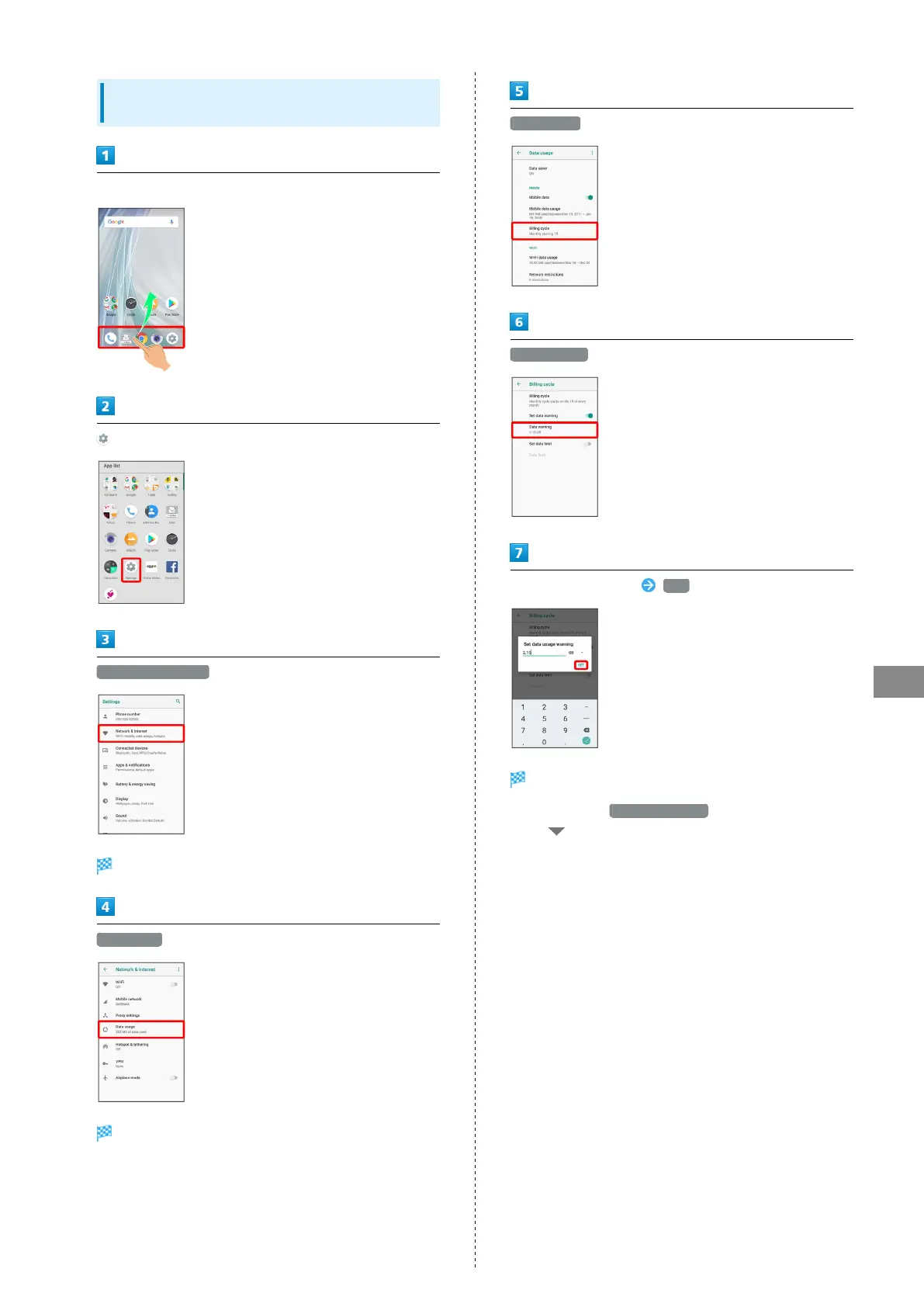
In Home Screen, Flick Favorites Tray up
(Settings)
Network & Internet
Network & Internet window opens.
Data usage
Data usage menu opens.
Billing cycle
Data warning
Enter amount for alert SET
Amount for data alert is set.
・
Available when Set data warning is enabled.
・
Tap to change the unit (GB or MB).
・Data usages are approximate, and may differ from the
actual data usage.



 To Next Page