146
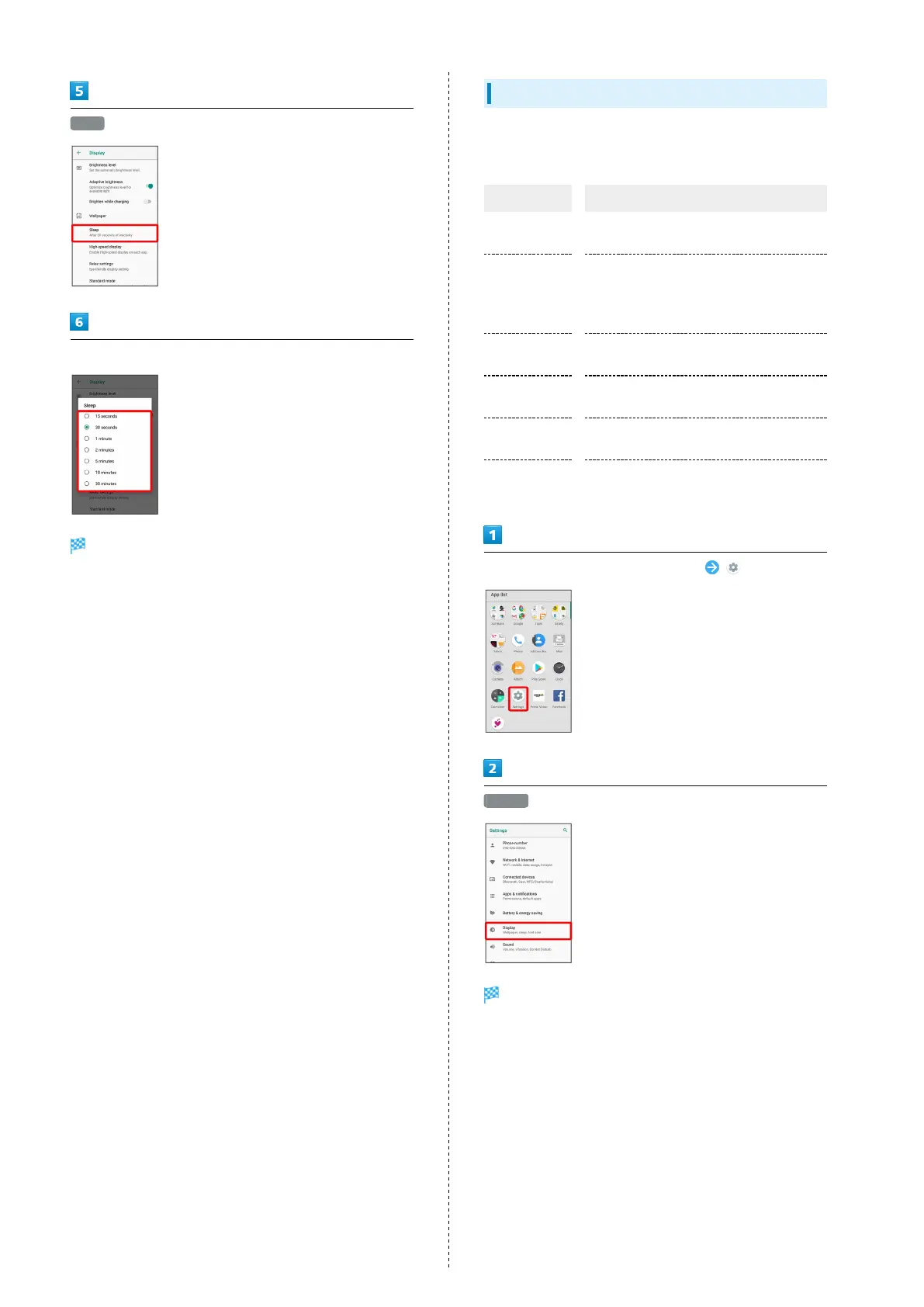
Sleep
Select sleep time
Set time until Display goes out.
Setting Illumination
Set illumination pattern for Display. Settable items are the
following.
Item Description
For incoming
call
Set whether handset illuminates for
incoming calls.
Illumi
pattern/color
for
incoming call
Set illumination pattern and color for
incoming calls.
Notification
Set whether to flash Charging/
Notification Lamp for notifications.
When start
charging
Set whether handset illuminates when
handset starts charging.
When
unlocking
Set whether handset illuminates when
unlocking screen.
When ending a
call
Set whether handset illuminates when
ending a call.
In Home Screen, Flick Favorites Tray up (Settings)
Display
Display menu opens.



 To Next Page