147
Handset Settings
AQUOS R compact
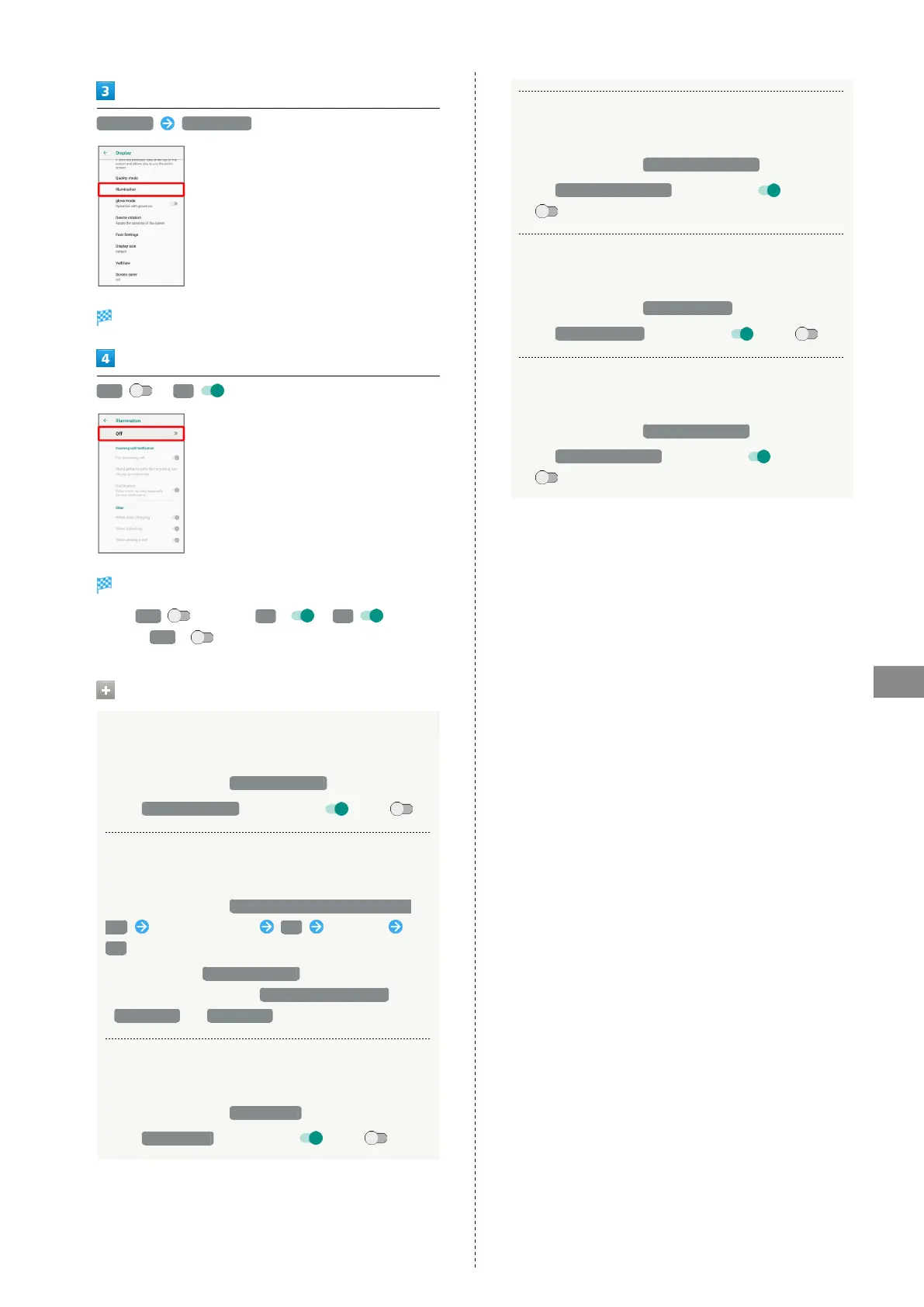
Advanced Illumination
Illumination menu opens.
Off / On
Setting is complete.
・
Tap Off to toggle On ( ), On to
toggle Off ( ).
Illumination Operations
Setting Whether Handset Illuminates for
Incoming Calls
In Illumination menu, For incoming call
・
Tap For incoming call to toggle on ( )/off ( ).
Setting Illumination Pattern and Color for
Incoming Calls
In Illumination menu, Illumi pattern/color for incoming
call Tap flash pattern OK Tap color
OK
・
Available when For incoming call is enabled.
・
Color cannot be set when Change by relationship ,
Pattern 11 or Pattern 12 is Tapped.
Setting Whether to Flash Charging/Notification
Lamp for Notifications
In Illumination menu, Notification
・
Tap Notification to toggle on ( )/off ( ).
Setting Whether Handset Illuminates when
Handset Starts Charging
In Illumination menu, When start charging
・
Tap When start charging to toggle on ( )/off
( ).
Setting Whether Handset Illuminates when
Unlocking Screen
In Illumination menu, When unlocking
・
Tap When unlocking to toggle on ( )/off ( ).
Setting Whether Handset Illuminates when
Ending a Call
In Illumination menu, When ending a call
・
Tap When ending a call to toggle on ( )/off
( ).



 To Next Page