179
Handset Settings
AQUOS R compact
Saving Data to SD Card
Save data (Address Book, Mail, Schedule (Calendar), user/
learning dictionary, emopa) to SD Card.
・Insert SD Card beforehand. See "Inserting SD Card" for
details.
・Data saved by handset may not be imported correctly
depending on the device.
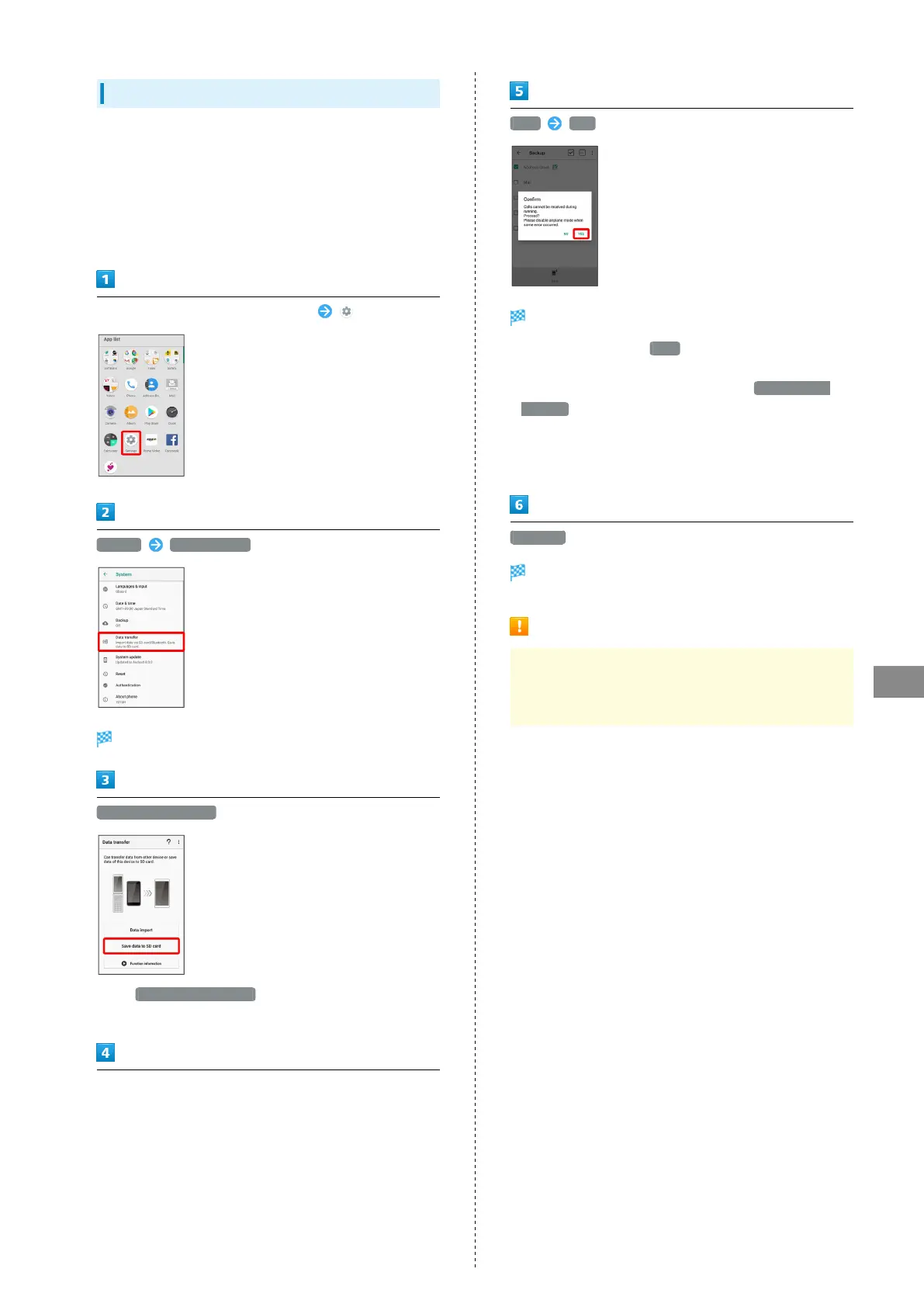
In Home Screen, Flick Favorites Tray up (Settings)
System Data transfer
Data transfer window opens.
Save data to SD card
・
Tap Function information to view a video tutorial
(Japanese) on Sharp Website.
Tap data type
・When saving Address Book contacts, confirmation for saving
face photographs appears. Follow onscreen prompts.
Save YES
Saving starts.
・
To save only mail, Tap Save to activate あんしんバック
アップ (Anshin Backup). To save several types including mail,
first save data other than mail, then Tap Start backing
up mails to activate あんしんバックアップ (Anshin Backup).
Follow onscreen prompts. For details, see "あんしんバッ
クアップを利用する (http://help.mb.softbank.jp/aquos-r-
compact/05-07-03.html)" (Japanese).
Complete
Data is saved.
Cautions for Saving Data
At least 11 MB of free space in internal storage is required
for saving data. Process stops if Battery runs low. Operate
with adequate battery charge whenever possible.



 To Next Page