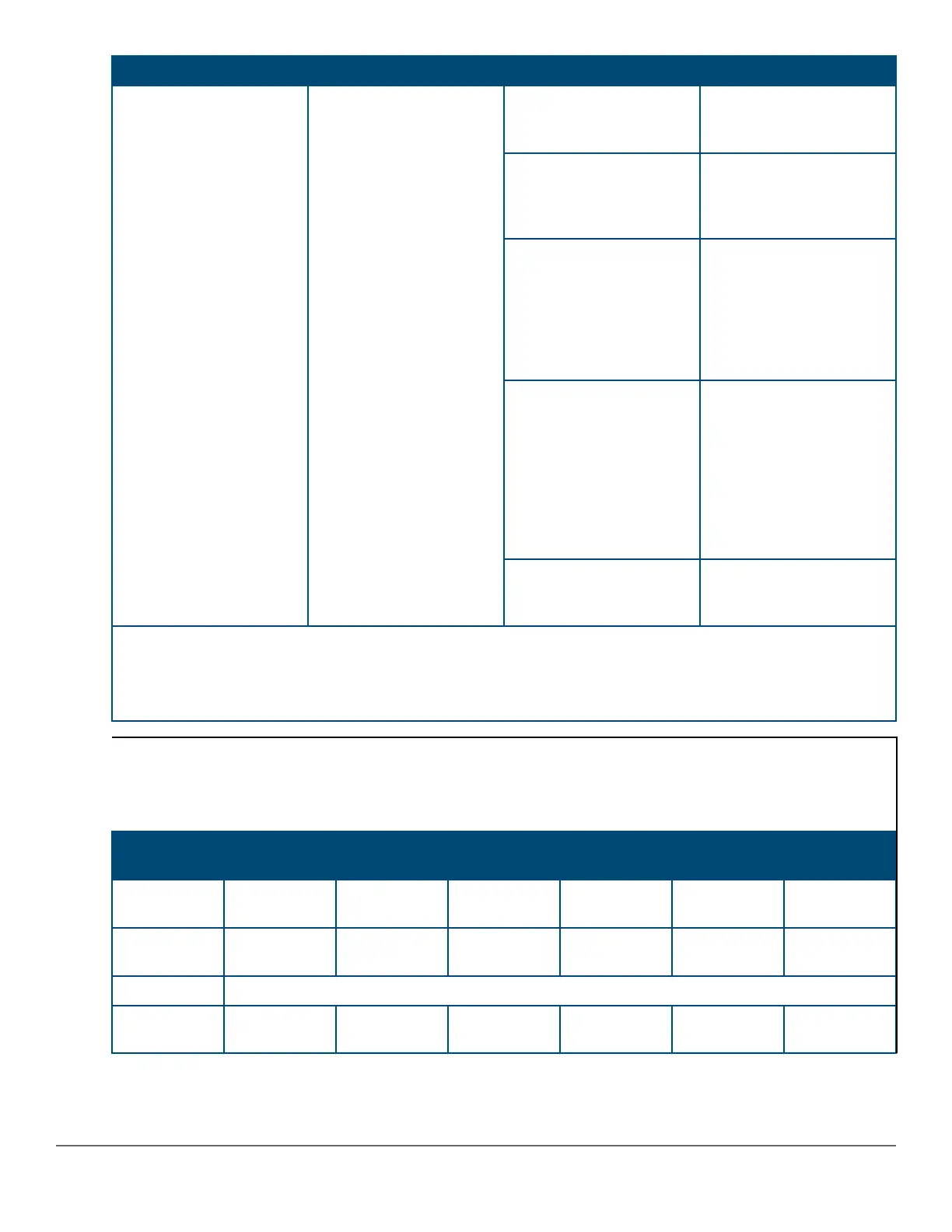
Switch LEDs Function State/Mode Meaning
The status information is
sticky and if a unit status
changes while in USER
mode, you must exit and
re-enter USER mode to
get the updated status.
Fast Flash Green** Indicates the Member # of
the Commander of the
stack.
On Orange Stack Member is booting
or has a fault that is
preventing it from
communicating.
Slow Flash Orange*
Stack Member is in a
known fault condition (for
example, a PSU fault).
The Global Status LED on
all stack members will also
Slow Flash Orange.
Fast Flash Orange**
Stack Member is in an
Alert condition (that is,
Overtemp, PoE Over
subscript, and so forth).
The Global Status LEDs
on all stack members will
remain in normal
operational.
Off Stack Member does not
exist in the stack
configuration.
* The slow flash behavior is an on/off cycle once every 1.6 seconds, approximately.
** The fast flash behavior is an on/off cycle once every 0.5 seconds, approximately.
*** Applies only to switches that support PoE.
Example of USER mode behavior
Assume that you have a 4-member stack, in a ring topology, with member numbers 1, 2, 3 and 5. Member 1 is the
commander and member 3 is rebooting. In USER mode, the members will show the following on their port LEDs:
Port 1 LED Port 2 LED Port 3 LED Port 4 LED Port 5 LED Port 6-10
LEDs
Member 1 Fast Flash
Green
On Green On Orange Off On Green Off
Member 2 Fast Flash
Green
Slow Flash
Green
On Orange Off On Green Off
Member 3 Going through normal boot up sequencing
Member 5 Fast Flash
Green
On Green On Orange Off Slow Flash
Green
Off
Chapter 2 Introducing the 2930M switches 19












 To Next Page