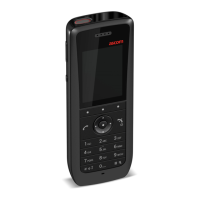
USER MANUAL
Ascom d83 DECT Handset
Contents
1 Introduction.................................................................................................................................... 1
1.1 Symbols ............................................................................................................................. 1
1.2 Functions and Accessories................................................................................................... 1
2 Descriptions ..................................................................................................................................5
2.1 The DECT Handset..............................................................................................................6
2.2 Chargers ............................................................................................................................7
2.3 Icons and Text in the Display................................................................................................8
2.4 Keys and Buttons ............................................................................................................... 11
2.5 Alphanumeric Keys ........................................................................................................... 12
2.5.1 In Idle Mode and in Number Input Mode .................................................................13
2.5.2 In Text Input Mode ................................................................................................13
2.6 Accessories.......................................................................................................................13
3 Menu Tree ................................................................................................................................... 15
3.1 Calls ................................................................................................................................ 15
3.2 Contacts........................................................................................................................... 16
3.3 Profiles..............................................................................................................................17
3.4 Messaging........................................................................................................................ 18
3.5 Services ........................................................................................................................... 18
3.6 Shortcuts.......................................................................................................................... 19
3.7 Connections .....................................................................................................................20
3.8 Settings............................................................................................................................ 21
3.9 In Call...............................................................................................................................22
3.10 Customizing the Menu Tree ...............................................................................................23
4 Basic Operation ...........................................................................................................................24
4.1 Switch the Handset On and Off ..........................................................................................24
4.2 Log a Shared Phone On and Off .........................................................................................24
4.3 Turn the Audible Signal On/Off...........................................................................................25
4.4 Lock and Unlock the Keypad..............................................................................................25
4.5 Lock and Unlock the Handset.............................................................................................26
4.6 Mute Handset on Incoming Call or Message ........................................................................26
5 Calling.........................................................................................................................................27
5.1 Open the Call List..............................................................................................................27
5.2 Incoming Call....................................................................................................................27
5.3 Outgoing Call....................................................................................................................28
5.3.1 Pre-Dial...............................................................................................................28
5.3.2 Post-Dial with Headset Button...............................................................................28
5.3.3 Dial Using a Pre-programmed Number...................................................................28
5.3.4 Dial a Number from the Call list .............................................................................28
5.3.5 Dial Last Called Number with Headset Button.........................................................28
5.3.6 Dial the Sender of a Message ...............................................................................28
5.3.7 Dial a Number from Contacts ................................................................................29
5.3.8 Dial a Name from the Central Phonebook ..............................................................29
5.3.9 Dial a Number from the Company Phonebook ........................................................29
5.4 During a Call .....................................................................................................................29
5.4.1 Adjust the Volume during a Call ............................................................................30
5.4.2 Open Contacts during the Call ..............................................................................30
5.4.3 Open Messaging Menu during a Call .....................................................................30
5.4.4 Turn the Microphone On or Off during a Call ..........................................................30
TD 93434EN / 01 December 2021 / Ver. B


 To Next Page