Menu Operation
USER MANUAL
Ascom d83 DECT Handset
8 Menu Operation
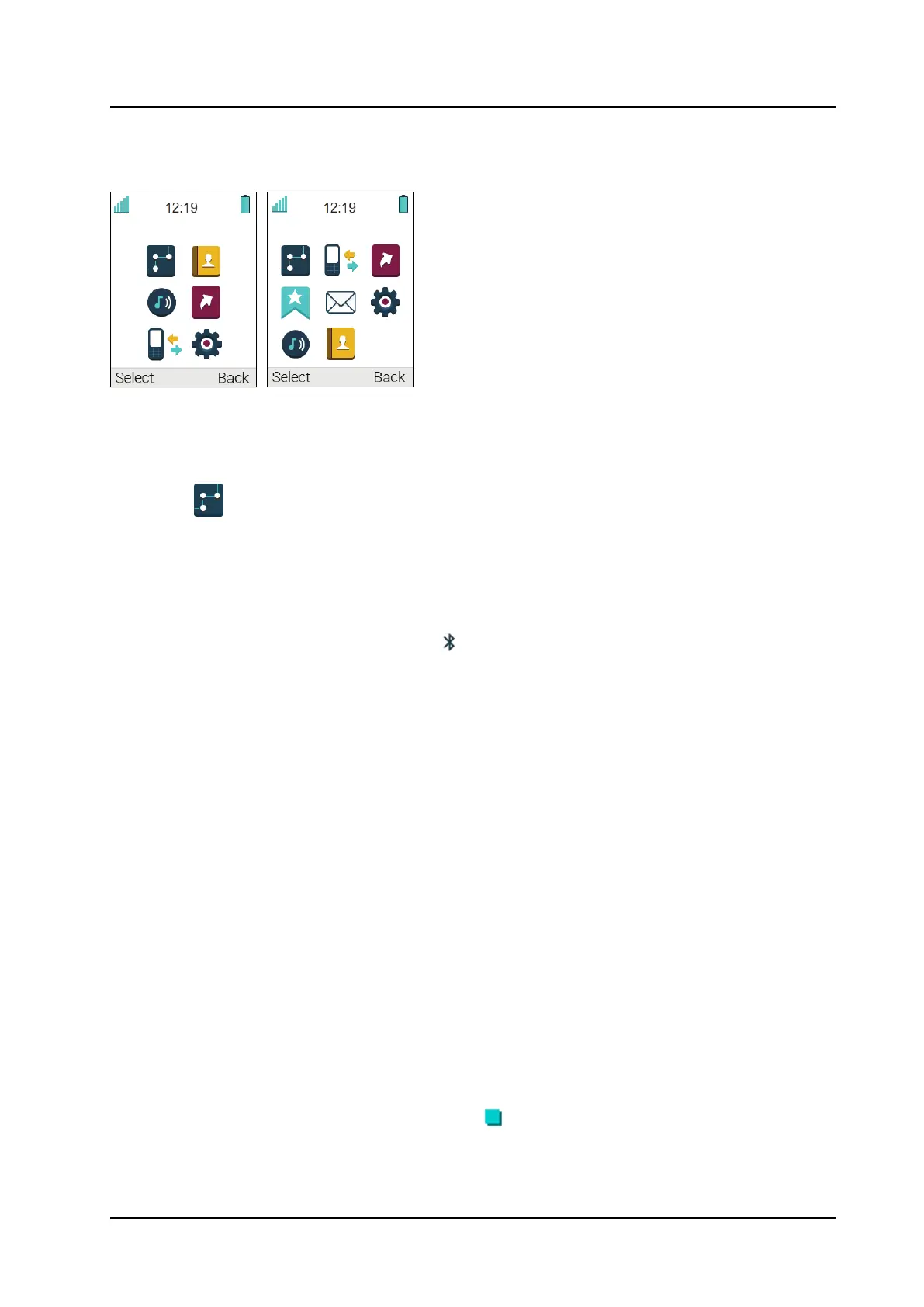
Figure 7. The Main Menu in Talker (left) and Messenger/Protector (right)
8.1 Connections
1. Enter the menu by pressing the Menu Soft key.
2. Select
in the menu, and press the Soft key Select.
8.1.1 Bluetooth
Enable Bluetooth Connection
1. Select Bluetooth.
2. Select Enable. A Bluetooth connection icon
is displayed in the header bar.
Disable Bluetooth Connection
1. Select Bluetooth.
2. Select Disable.
Pair/Connect Bluetooth Headset
In order to use a Bluetooth headset, it must first be paired with the handset. It is only needed to pair the
Bluetooth headset once.
1. Set the Bluetooth headset in pairing mode, refer to the user manual for the Bluetooth headset.
2. Enable Bluetooth, see Enable Bluetooth Connection, page 50.
3. Select Bluetooth.
4. Select Headset.
5. Select Add new. An information text Put headset in Pairing mode is displayed.
6. Press OK. It now searches for a Bluetooth headset for connection.
7. When headset is found, press Pair.
8. If needed, enter PIN code. Refer to the user manual for the Bluetooth headset.
9. Press OK.
The dialog Pairing successful appears if the pairing process was successful. The Bluetooth headset is
also connected, which is indicated by a colored square
in front of the headset.
50 TD 93434EN / 01 December 2021 / Ver. B


 To Next Page