50 DG14 and DG16 Board & Sensor Reference Manual
command $PASHS,UDD command along with the $PASHS,DTM command. Prior
to using these commands, the user must first define the required parameters
including the length of the semi-major axis and amount of flattening in the
reference ellipsoid, and the translation, rotation, and scale between the user-
defined system and WGS-84.
After issuing the $PASHS,DTM,USR command, the receiver internally transforms positions from the
reference datum (WGS-84) to the user-defined datum. In standard text books, however, the datum
transformations are given from local datums to WGS-84. To simplify entering the transformation
parameters, the translation, rotation, and scale parameters are defined from the local datum to
WGS-84.
To use this datum for the position computation and measurements, use the $PASHS,DTM,USR
command after defining the datum parameters.
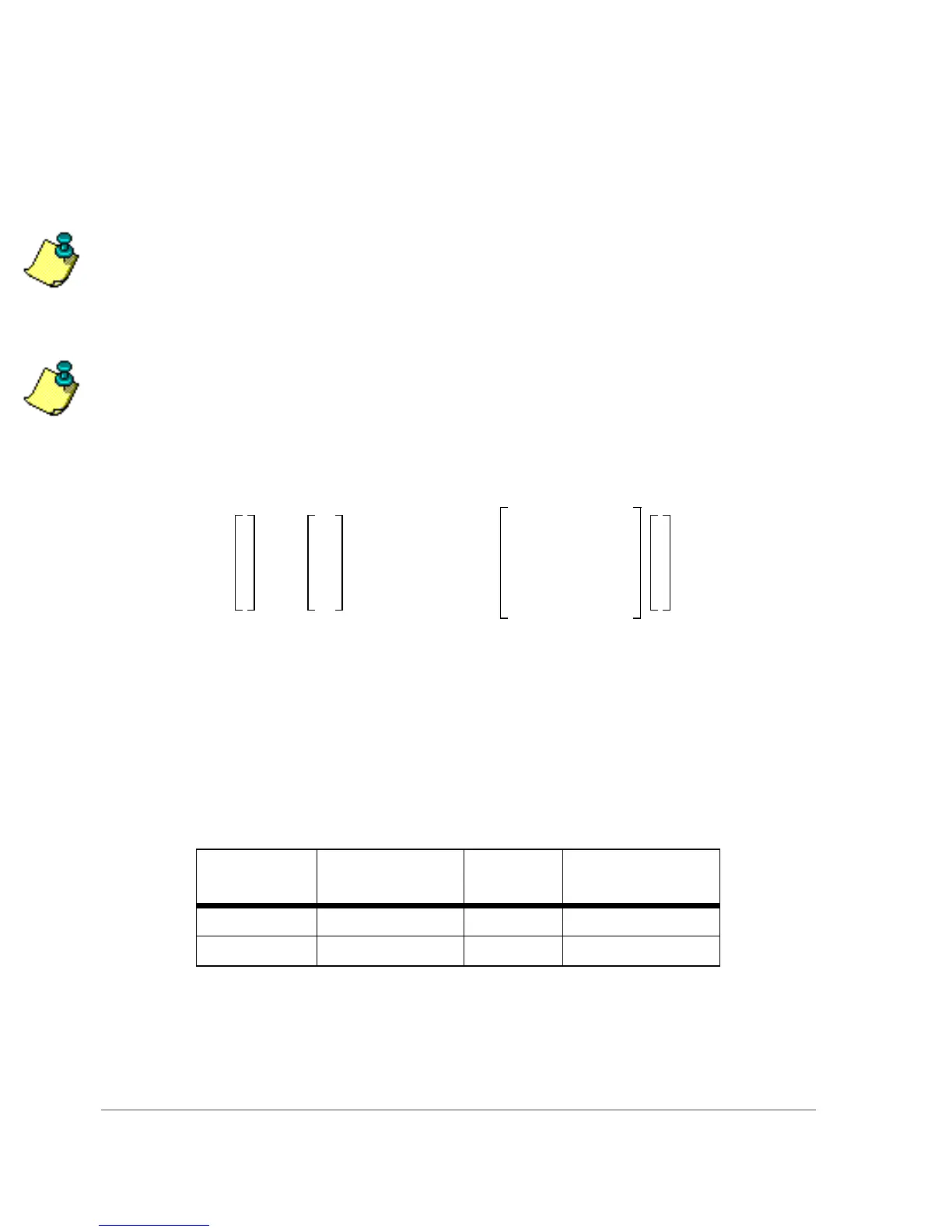
The generic formula used to translate and rotate from coordinate system 1 to
coordinate system 2 is as follows:
where
e
rx
=
e
x
expressed in radians, similarly for e
ry
and e
rz
.
Example: Define local datum as the WGS-72 datum
$PASHS,UDD, 0,6378135.0, 298.26,0,0,4.5,0,0,-0.554,0.23
$PASHS,DTM,USR
This implements the transformations listed in Table 3.2 and below in the
following equation:
Table 3.2. Ellipsoid Parameters for WGS-72 and WGS-84
Datum
Reference
Ellipsoid
a[m] 1/f
WGS-72 WGS-72 6378135.0 298.26
WGS-84 WGS-84 6378137.0 298.257223563
x
y
z
2
Dx
Dy
Dz
1 m
6–
´10+()
1 e
rz
e
ry
–
e
rz
–1e
rx
e
ry
e
rx
–1
x
y
z
1
+=



 To Next Page