7. Unit operation
User Manual – PhysioGo.Lite Electro page 36 / 96
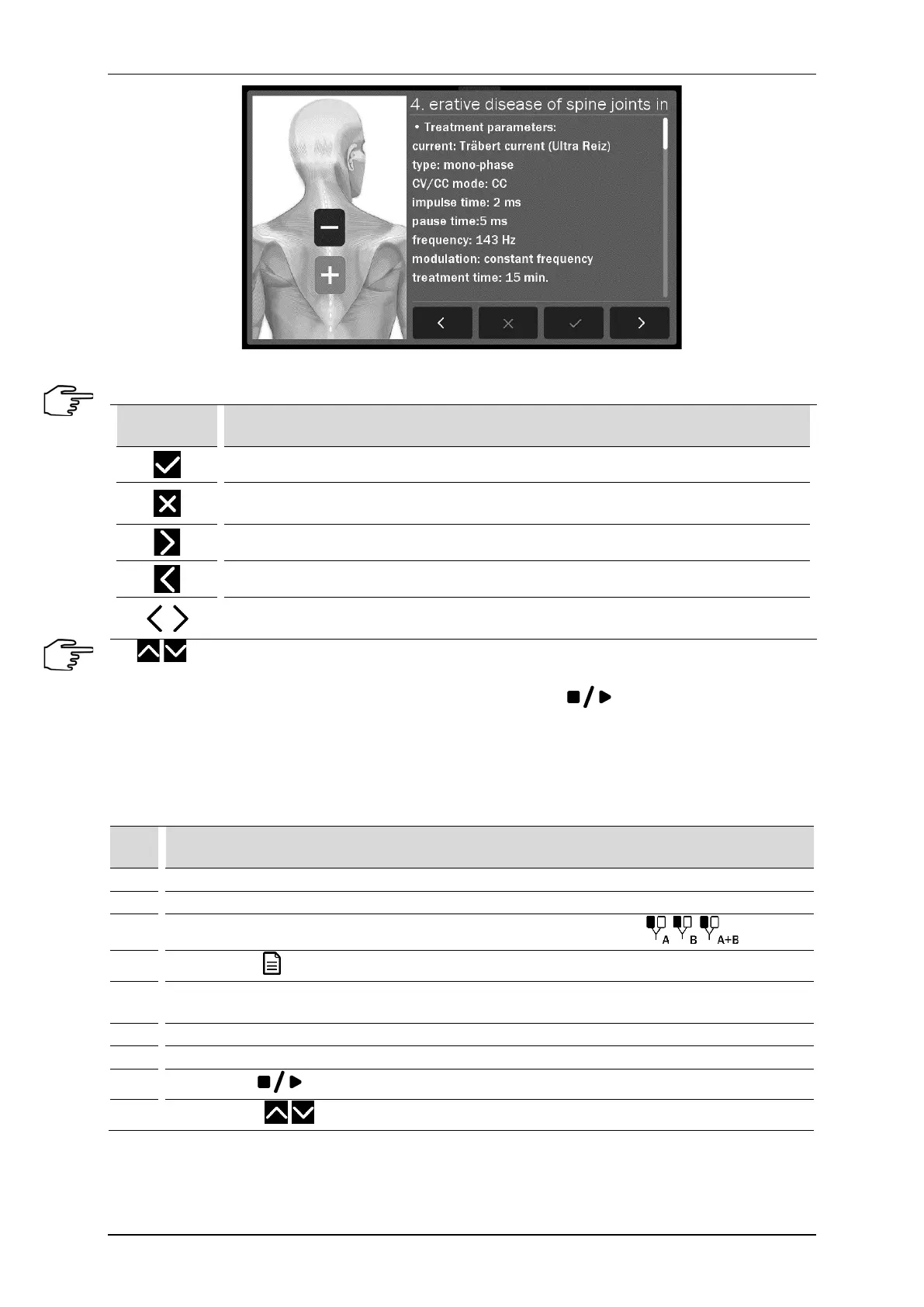
Figure 7.5 Information screen sample view
Information mode navigation:
Symbol Description
Approval of the program / sequence and return to the list (the current position)
Back to the list of preset programs / sequences on a position from which there was an
encyclopedia entry
Go to the next program / sequence
Go to the previous program / sequence
Model of the human body – go to the previous / next illustration for the program /
sequence
Use keys or a bar located on the right side of the display to scroll the information.
If it is necessary to interrupt the treatment procedure (pause), press
key. To resume the treatment
procedure, it is recommended to follow the instructions shown on the display.
Schematic procedures for electrotherapy are presented below. In continuous operation, it is recommended to
start the treatment procedure from step 3 of the scheme.
Schematic procedure for electrotherapy treatments:
Step Description
1. Connect patient’s cables.
3.
Select the tab 1 or 2 depending on needs or availability. Select the therapy
4.
Press the field Program mode
5.
Select the option Preset programs or Preset sequences from Program modes menu. Confirm your
choice by pressing the selected field again.
Select the program / sequence from the list.
Prepare the patient for the treatment according to indications in point 7.1
8.
Press the key
9.
Using the keys set the current or voltage amplitude.



 To Next Page