10. Maintenance, cleaning, disinfection
page 83 / 96 Issue date 18.05.2021, rev. 1.0
Step Description
Reducing the signal level indicates the cable damage
7.
To escape the test mode press the key . To leave Setup mode, press the key
Alternative method: cable plug should be inserted into the output socket, and plugs from the side of electrodes
should be short-circuited. Then select one-channel interferential current and set 10 mA amplitude. Additionally,
you can make movements with the cable, and particularly with the spiral cable glands.
If during current increase the information about high resistance in patient circuit is not displayed, the cable shall
be deemed in proper working condition.
Verification of electrodes condition
The unit possesses the function of electrodes test, which allows for checking the status of their usage. To check
it, the current circuit A is used, where on its output voltage the signal is given. The unit while measuring
the current flow in the circuit determines the level of electrode usage. When the electrode is more consumed,
the less current flows in the circuit.
Special caution should be exercised due to the possibility of high current flow while testing cables. While
performing the test, do not touch the cable plug that is examined!
Step Description
2. Press the button
3. Select the tab Control functions
Select the tab Electrodes test
5.
To the patient cables red plug in circuit A connect the electrode that is going to be tested. Press the
button Run the test. Black plug press in the corners of the electrode.
6.
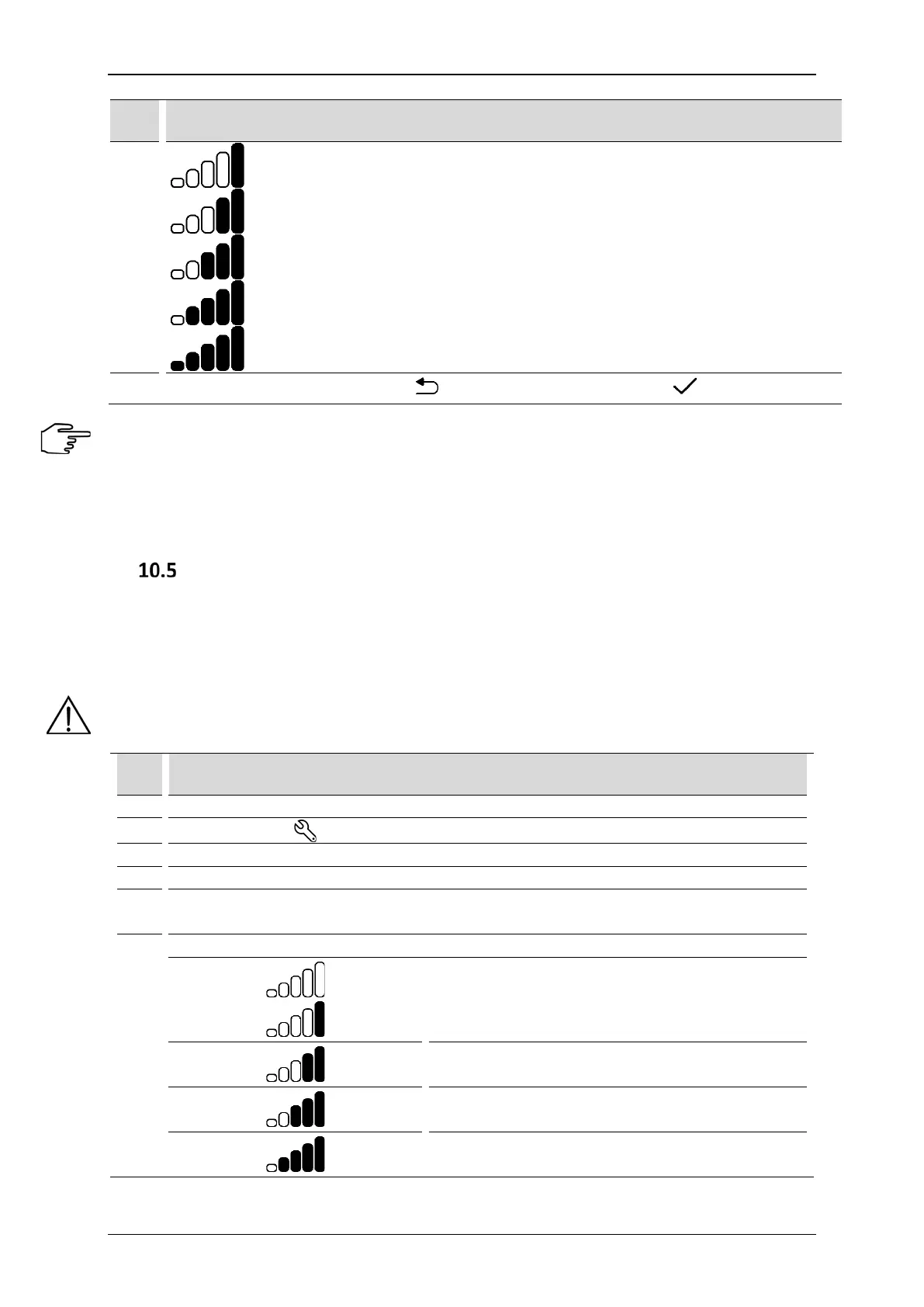
Evaluate the usage of electrodes according to instructions below:
New electrode, no signs of usage
Small level of usage
Medium level of usage
Large level of usage, it is not recommended to perform



 To Next Page