7. Unit operation
page 37 / 96 Issue date 18.05.2021, rev. 1.0
Favorite programs
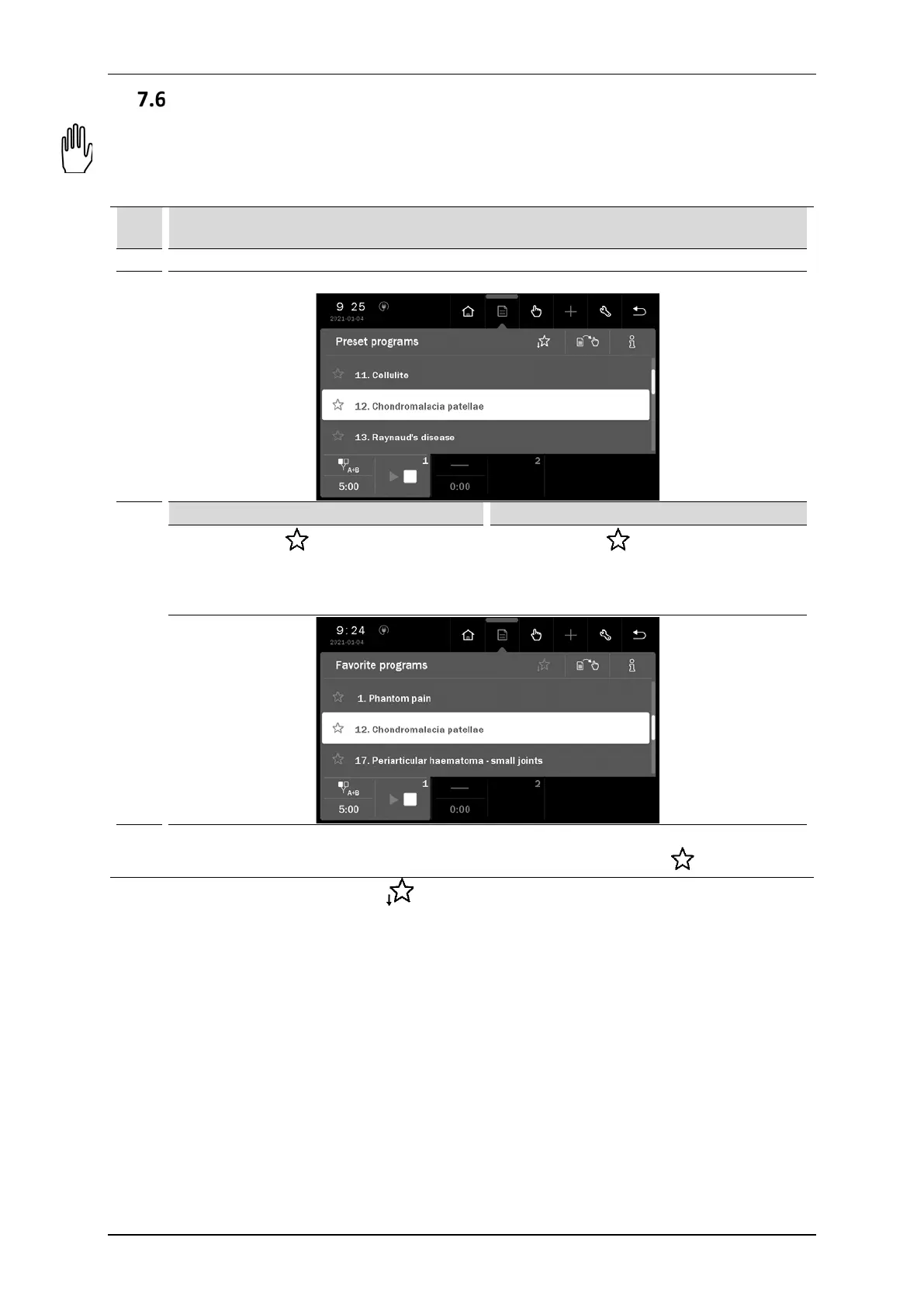
The function offers quick access to frequently used preset programs and sequences without browsing the entire
list.
To add or remove the program from the favorite list, follow the instructions:
Step Description
Prepare the unit to work with preset treatment programs and sequences (see section 7.4).
2.
Select program / sequence.
3.
Press the symbol next to the name of the
program / sequence. Symbol color changes to
yellow and the program / sequence is inserted
on the favorite list.
Press the symbol next to the name of the
program / sequence. Symbol color changes to
blue and the program / sequence is deleted
from the favorite list.
4. ---
You can also remove the item from the favorite
list, if you press the symbol .
To enter the favorite list, press the symbol .
If no item from the preset treatment program or sequences list is selected as a ”favorite”, then after entering
the option, the list will be empty.
NOTE: Favorite option is not available when you set the view of preset treatment programs or sequences by
medical fields. See point 6.3.4.2.



 To Next Page