USE AND MAINTENANCE MANUAL
ATTILA
41
EN
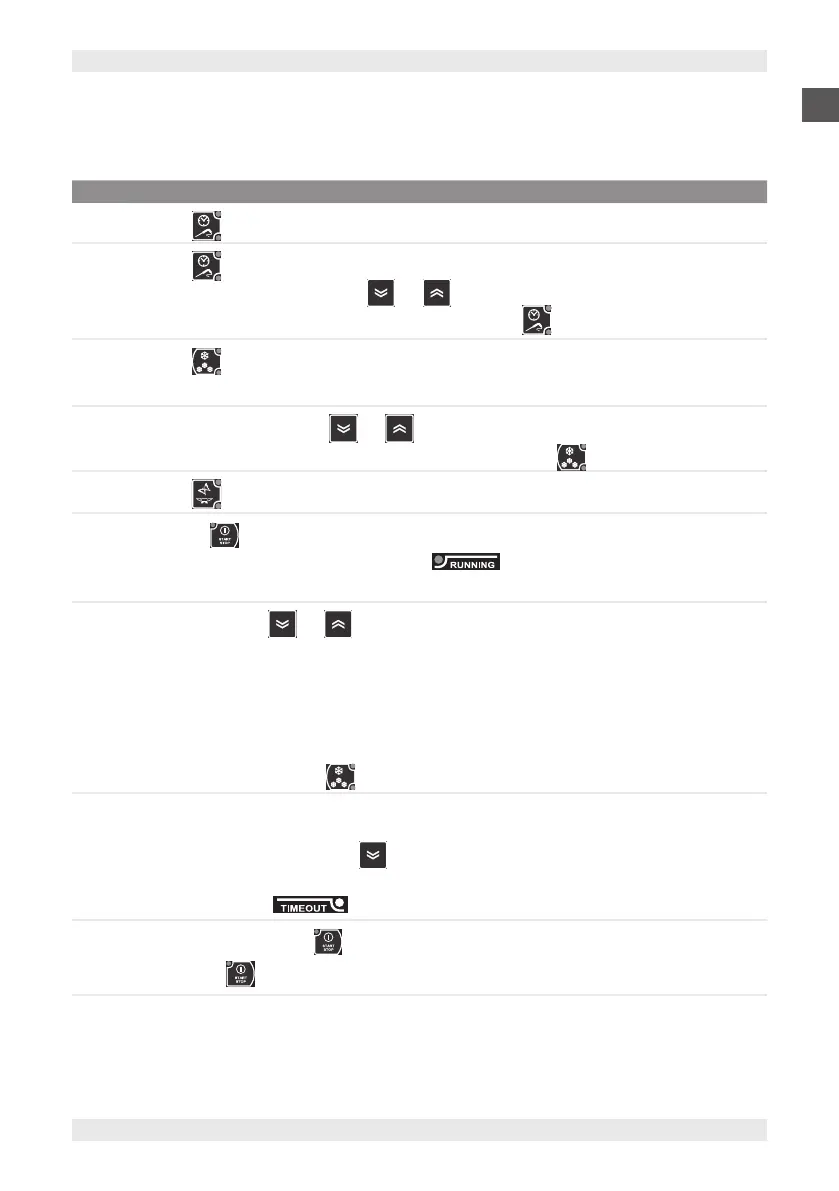
8.5.3. BLASTING CYCLE WITH CORE PROBE
To carry out the blasting cycle with core probe:
STEP ACTION
1
Press the button and select the core probe target.
2
Press the button repeatedly to display the maximum cycle duration timeout.
Note: Within 3 seconds, use the buttons and to change the timeout time.
Note: To reset the blasting cycle target to the default value, press the button three times.
3
Press the button and select positive (+3°C) or negative (-18°C) blasting mode.
Note: The unit of measurement (°C or °F) is shown in the icon at the side of the display.
4
Within 3 seconds, use the buttons and to change the temperature.
Note: To reset the blasting cycle temperature to the default value, press the button three times.
5
Press the button and select Soft or Hard mode.
6
Press button to start the cycle.
Note: The buzzer emits a short sound and the LED lights up. The display shows the temperature
measured by the core probe.
7
During the cycle, press and to display:
▪ Core probe temperature
▪ Elapsed time
▪ Time remaining
▪ Cell temperature.
Note: The first value displayed is the temperature of the core probe.
Note: During the cycle, press the button to display the current target value.
8
The blasting cycle ends when the core target is reached, the buzzer sounds and the equipment automatically
switches to the storage phase.
Note: the buzzer can be muted with the button.
Note: If the timeout time is reached without reaching the temperature target, the blasting cycle continues
indefinitely and the LED flashes.
9
To interrupt the cycle, press the button.
Note: Pressing again restarts the blasting cycle with the default settings.


 To Next Page