USE AND MAINTENANCE MANUAL
ATTILA
51
EN
8.6.6. ADJUSTING OPERATING PARAMETERS
The equipment has two types of parameters:
▪ Basic, user-oriented parameters
▪ Advanced, password-protected parameters for qualified personnel.
For adjusting the operating parameters of the equipment, via control panel:
STEP ACTION
1
Press and hold buttons and simultaneously for 4" to access the parameter list.
Note: The equipment must be in stand-by mode.
2
Press or to scroll through the list of parameters.
3
Press to select the current parameter or to change a parameter.
4
Press the button to go up one level in the menu without saving the current value or to exit the programming
phase
For the parameter list, please refer to 'ALADINO version basic blast chiller parameters' and
'ALADINO version advanced blast chiller parameters’.
8.7. POWER OFF/STAND-BY
To shut down the equipment:
STEP ACTION PICTURE
1
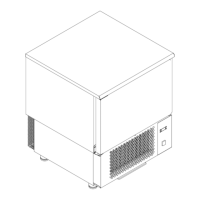
Press the O/I main switch.
Note: the button is no longer illuminated in green.


 To Next Page