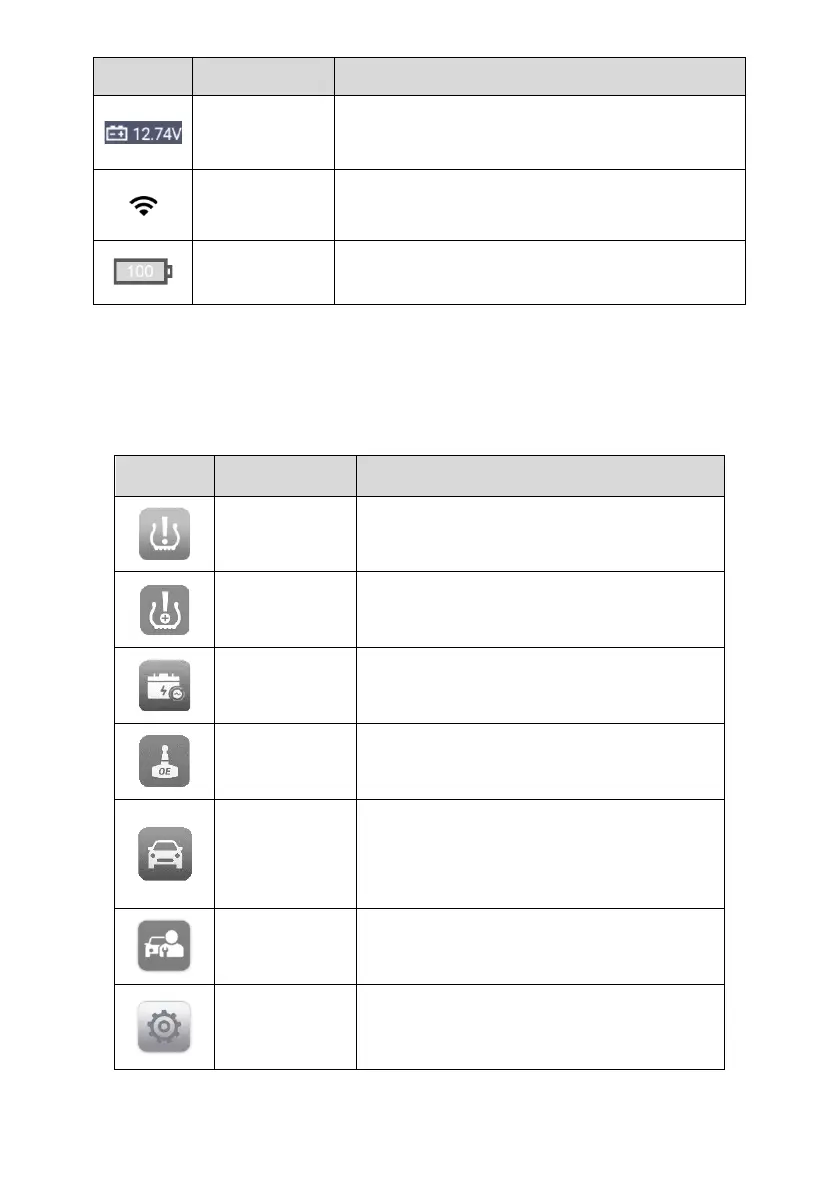
Displays the current voltage value of the
connected device.
Indicates that Wi-Fi is connected and displays the
signal strength.
Displays the remaining battery power.
3.1.2 Application Buttons
Descriptions of the tool applications are displayed in the table below.
Table 3-2 Applications
Accesses the TPMS service program. See
TPMS for details.
Allows TPMS to be installed on vehicles.
See TPMS Retrofit for details.
Assesses the battery test menu. See
Battery Test for details.
Accesses OEM menu. See OE Entry for
details.
Accesses diagnostics functions menu (the
diagnostics function is available with an
additional purchase). See Diagnostics for
details.
Accesses special functions menu. See
Service for details.
Accesses MaxiTPMS system settings menu
and general tablet menu. See Settings for
details.















 To Next Page