14
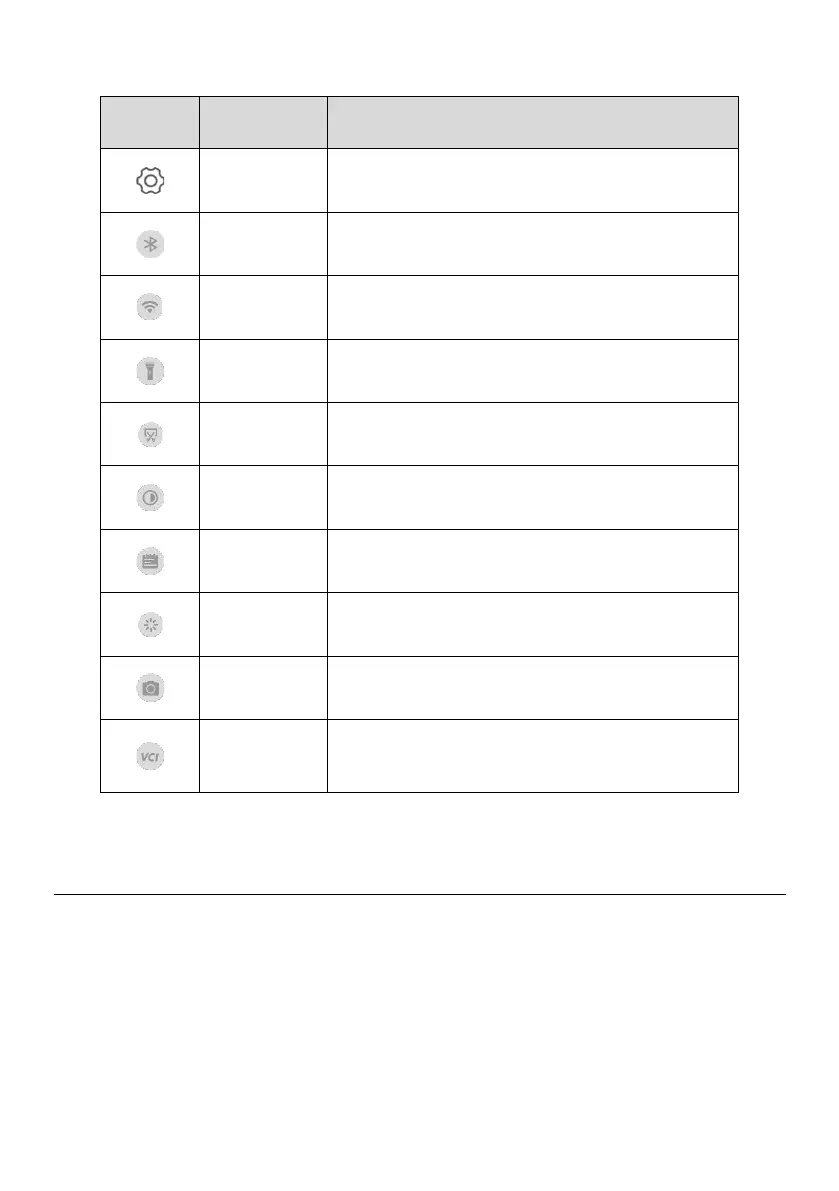
Table 3-3 System Status Icons
Launches the Android system settings interface
when pressed.
Enables/Disables Bluetooth when pressed.
Enables/Disables Wi-Fi when pressed.
Turns on/off flashlight when pressed.
Takes a screenshot of the display.
Adjusts the screen brightness to your
surroundings.
Restarts applications when pressed.
Enables photo-taking and recording.
Opens the VCI Manager application for VCI
connection and upgrade. Refer to VCI Manager
for more details.
3.2 Powering Down
All vehicle communications must be terminated before powering off the tablet. A warning
message will display if the unit attempts to power off while still connected with the vehicle.
Forcing the tablet to power off while the unit is still communicating with the vehicle may
lead to ECM problems on some vehicles. Exit TPMS-related or diagnostics applications
before powering off.















 To Next Page