18
⚫ There is a loose connection.
⚫ There is a blown vehicle fuse.
⚫ There is a wiring fault of the vehicle or the adapter.
⚫ There is a circuit fault in the adapter.
⚫ Incorrect vehicle identification was entered.
4.2 Getting Started
4.2.1 TPMS Service Menu Layout
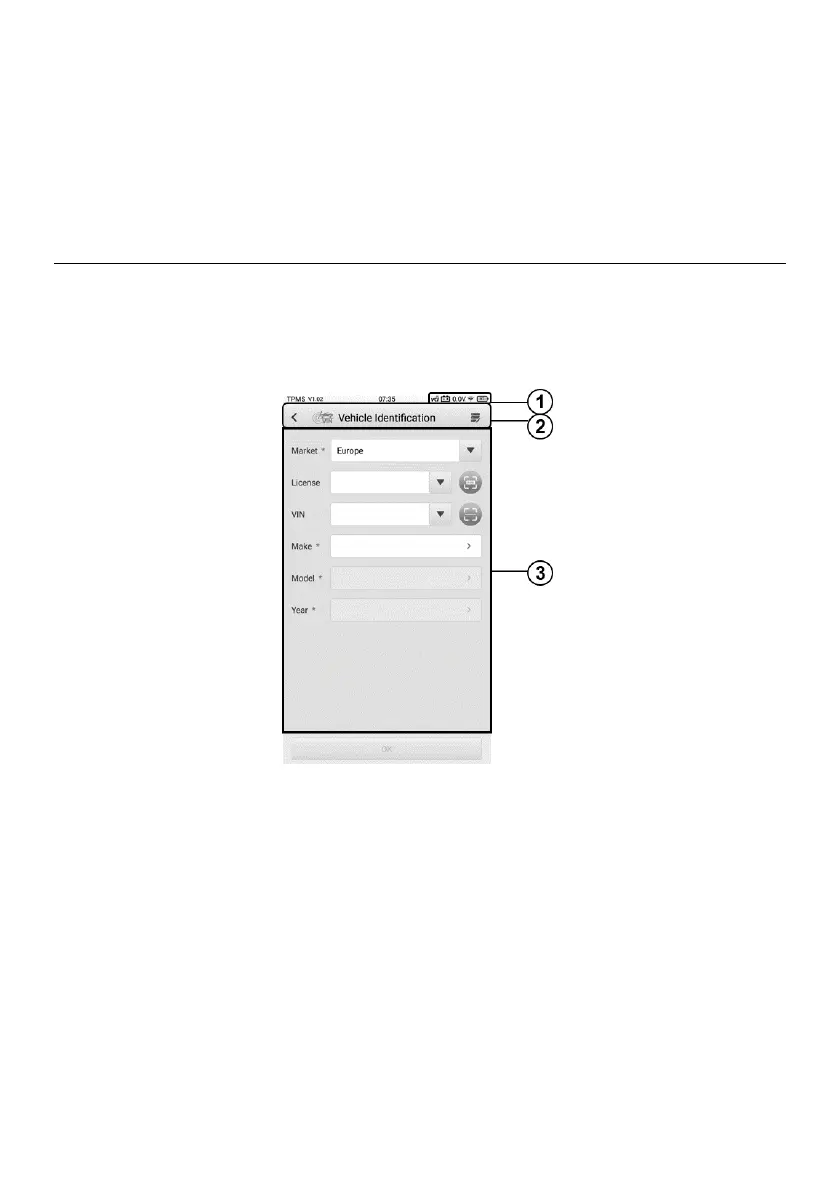
Tap TPMS on the MaxiTPMS Job Menu to access the Vehicle Identification screen.
Figure 4-1 Vehicle Identification Screen
1. Status Information Bar — refer to Table 3-1 Status Information Bar for details.
2. Top Toolbar Buttons — refer to Table 4-1 Top Toolbar Buttons on Vehicle Menu for
details.
3. TPMS Service Access Methods















 To Next Page