3
2 General Introduction
There are two main components of ITS600/ITS600 Pro system:
⚫ MaxiTPMS ITS600/ITS600 Pro Tablet — the central processor and monitor for the
system.
⚫ MaxiVCI V200 — Vehicle Communication Interface. The device for accessing
vehicle data.
This manual describes the construction and operation of both devices and how they work
together to deliver diagnostic solutions.
2.1 MaxiTPMS ITS600/ITS600 Pro Tablet
2.1.1 Function Description
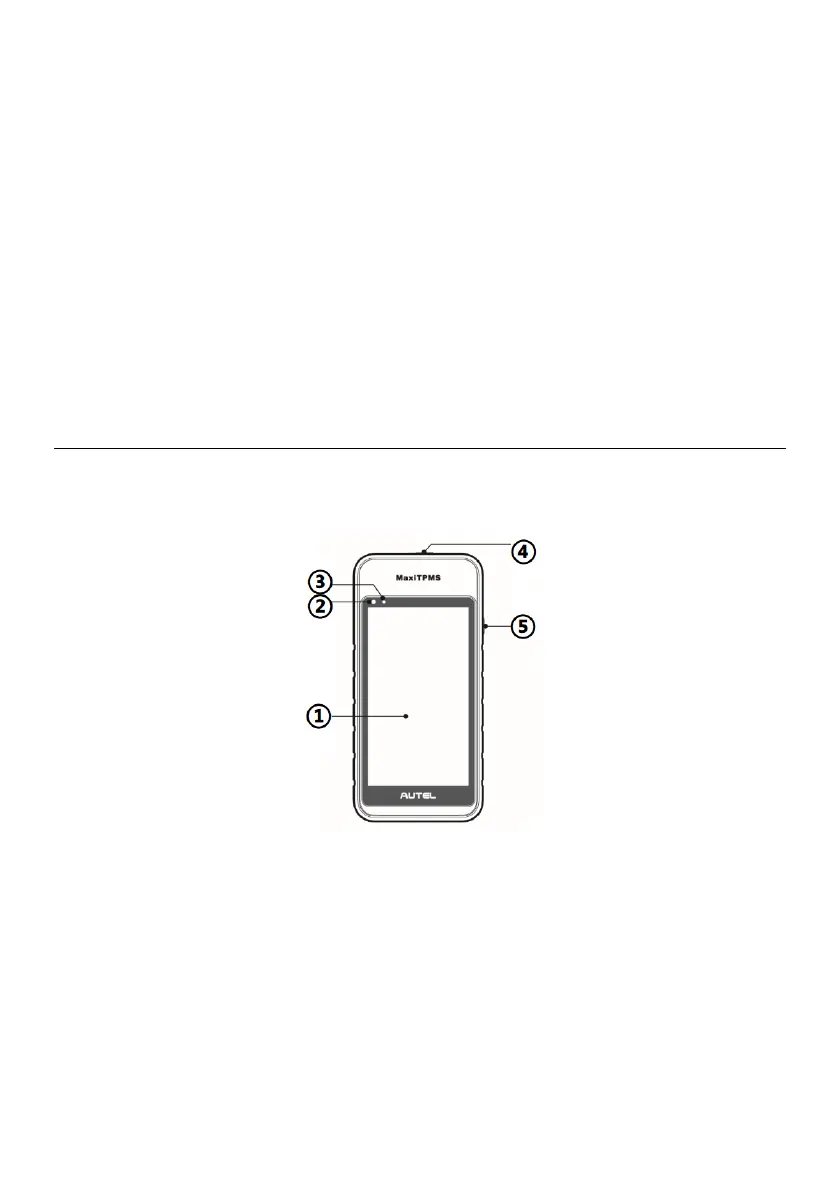
Figure 2-1 MaxiTPMS Tablet Front View
1. 5.5” LCD Capacitive Touchscreen
2. Ambient Light Sensor — detects ambient brightness.
3. Power LED — indicates battery level & charging or system status.
4. TPMS Service Symbol — indicates the position of the embedded TPMS antenna.
5. Power/Lock Button — long press to turn on/off the tablet, or short press to lock the
screen.















 To Next Page