83
8.4.1 ECU Information
This function retrieves and displays the specific information for the tested control unit,
including unit type, version numbers, and other specifications.
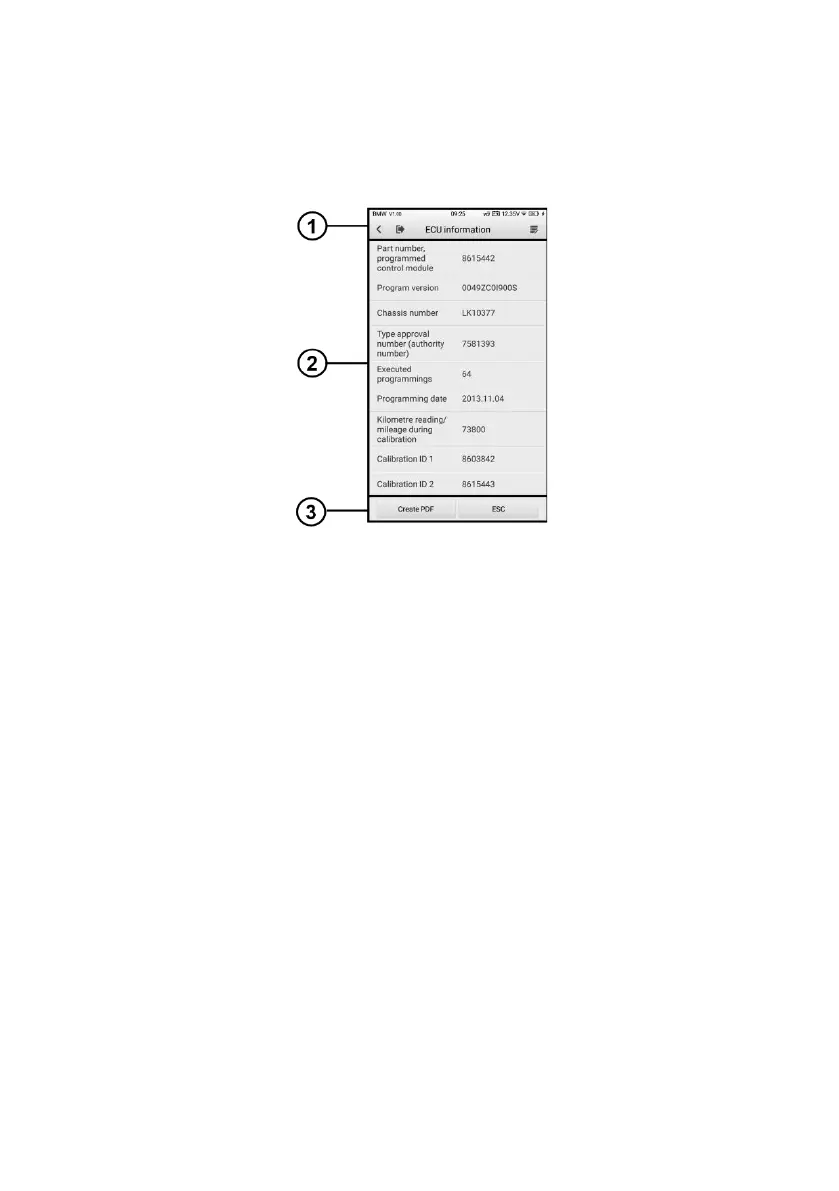
The sample ECU Information screen displays as below:
Figure 8-11 ECU Information Screen
1. Diagnostics Toolbar Buttons — see Table 4-2 Top Toolbar Buttons on Service Menu
for details.
2. Main Section — the left column displays the item names; the right column shows the
specifications or descriptions.
3. Function Buttons — Create PDF and ESC (or sometimes a Back) buttons are
available.
8.4.2 Read Codes
This function retrieves and displays the DTCs from the vehicle’s control system. The
Read Codes screen varies for each vehicle being tested. On some vehicles, freeze frame
data can also be retrieved for viewing. The sample Read Codes screen displays as below.















 To Next Page