19
4.2.1.1 Top toolbar buttons
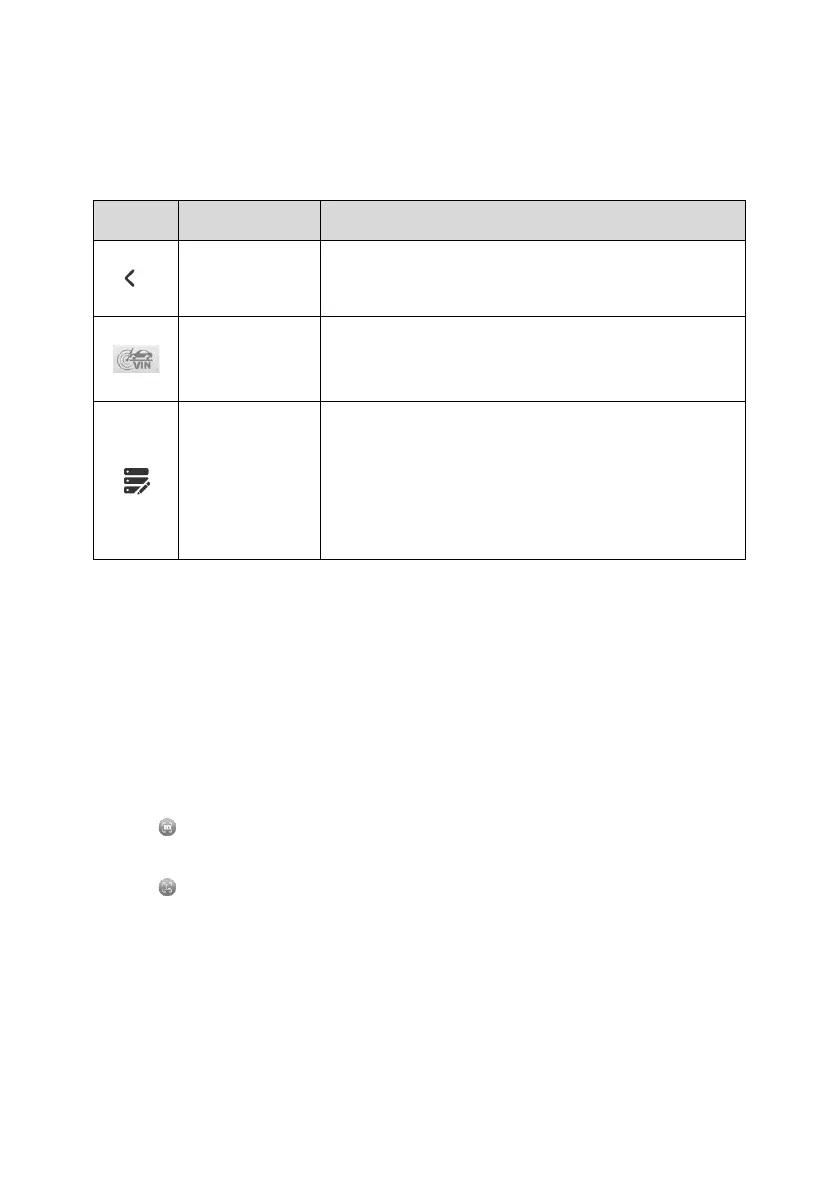
The operations of the toolbar buttons at the top of the screen are described in the table
below.
Table 4-1 Top Toolbar Buttons on Vehicle Menu
Returns to the MaxiTPMS Job Menu.
Automatically acquire the Vehicle Identification
Number (VIN) information, vehicle make, model,
and year. See Auto VIN Detect for details.
Use this function when encountering an error when
testing or diagnosing a vehicle. This function will
record the communication data and ECU
information of the test vehicle and send it to Autel’s
technical staff to review and provide solution. See
Data Logging for details.
4.2.1.2 TPMS Service Access Methods
There are six options available on the screen when accessing the Vehicle Identification
page to select the vehicle tested.
⚫ Market
Select the market where the user resided, featuring the Europe, North America,
Korea, Japan, and Australia market.
⚫ License
Tap to scan license plate number or manually input the plate number.
⚫ VIN
Tap to perform the VIN Scan method or manually input VIN code to identify your
vehicle make/model/year.
⚫ Make
Tap the blank bar to the right, then the screen displays a list of vehicle manufacturers
in alphabetic order. Select the auto manufacturer of your tested vehicle.
⚫ Model
Select the specific vehicle model of your vehicle from a list of models displayed.















 To Next Page