80
Auto Scan
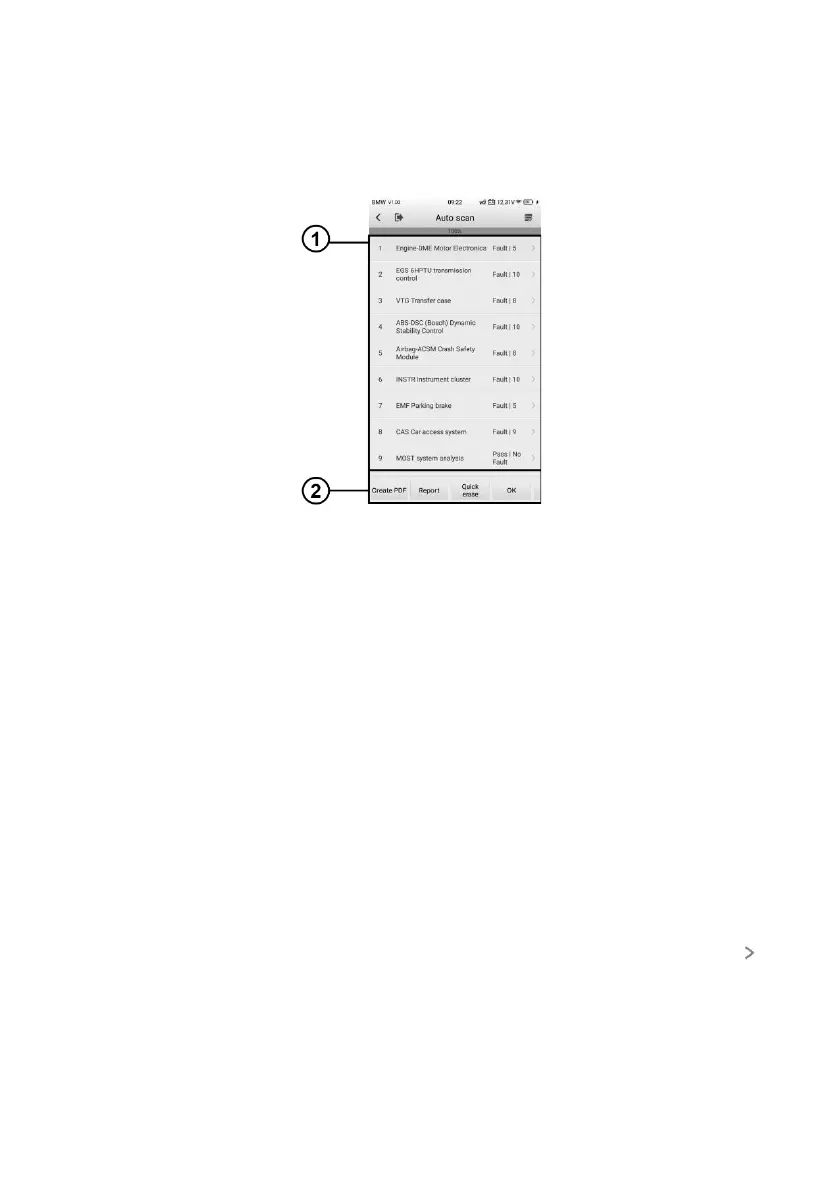
The Auto Scan function performs a comprehensive scanning of all the systems on the
vehicle's ECU to locate systems faults and retrieve DTCs. An example of the Auto Scan
interface is pictured below.
Figure 8-9 Auto Scan Operation Screen
1. Main Section
2. Function Buttons
Main Section
Column 1 — displays the system numbers.
Column 2 — displays the scanned systems.
Column 3 — displays the diagnostic indicators describing test results. These indicators
are defined as follows:
Fault | #: Indicates there is/are detected fault code(s) present; “#” indicates the
number of the detected faults.
Pass | No Fault: Indicates the system has passed the scanning process and no fault
has been detected.
Column 4 — to perform further diagnosis or testing on a specific system item, tap to
the right of that item. A Function Menu screen will display.















 To Next Page