96
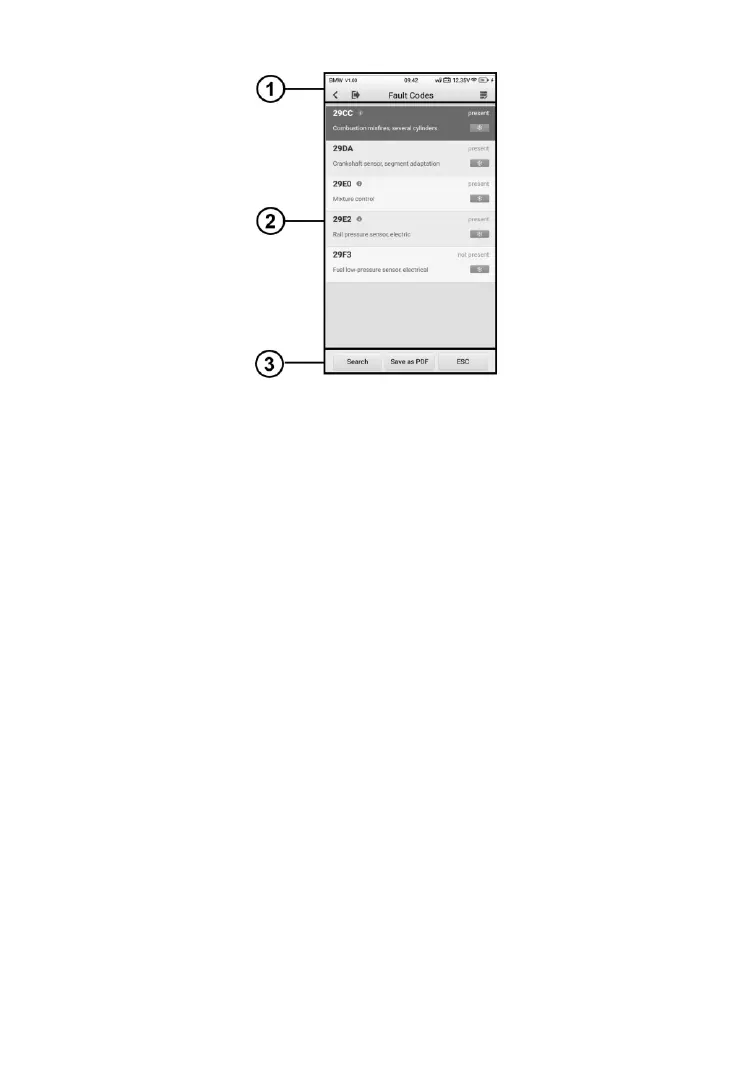
Figure 8-12 Sample Read Codes Screen
① Diagnostics Toolbar Buttons – see Table 4-2 Top Toolbar Buttons on
Service Menu on page 27 for details.
② Main Section
⚫ Code Display area – displays the retrieved codes from the vehicle.
⚫ Description – detailed descriptions of the retrieved codes.
⚫ Status – indicates the status of the retrieved codes.
⚫ Information icon – tap to view fault code information, including fault
description, condition for fault identification, driver information.
⚫ Snowflake Icon – displays when freeze frame data is available for
viewing; Selecting this icon will display a data screen.
③ Function Buttons
⚫ Search – tap search for related fault code information on Google.
⚫ Save as PDF – tap to save the data in PDF format.
⚫ ESC – tap to return to the previous screen or exit the function.
8.4.2.3 Erase Codes
After reading the retrieved codes and making appropriate vehicle repairs, use
this function to erase vehicle codes.













 To Next Page