Parameter Type Default
value
Is set to
default
on reset
Description
• For provisioning, use the Settings > Network >
Ethernet > IP interface > Static IP settings
menu on the device.
ROUTER String 0.0.0.0 Yes Specifies an IP address or a list of addresses of
default routers or gateways in the IP network.
Entries in the list are separated by commas without
any spaces between entries. The parameter can
contain up to 127 characters.
This parameter is supported in all modes.
For provisioning, use:
• The Option 3 value in a DHCPACK message.
• For provisioning, use the Settings > Network >
Ethernet > IP interface > Static IP settings
menu on the device.
NETMASK String 0.0.0.0 Yes Specifies an IP subnet mask.
This parameter specifies one IP address in the dot-
decimal format. The range is from 7 to 15 ASCII
characters.
This parameter is supported in all modes.
For provisioning, use:
• The Option 1 value in a DHCPACK message.
• For provisioning, use the Settings > Network >
Ethernet > IP interface > Static IP settings
menu on the device.
SUBNET String 0.0.0.0 Yes Specifies the subnet of the telephone. A value of
SUBNET is a value of a bitwise AND operation
performed on values of IPADD and NETMASK.
This parameter is supported in all modes.
The parameter can be used in conditional
statements in the 46xxsettings.txt file.
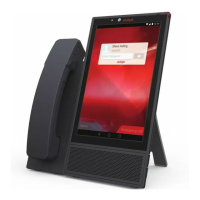
USE_DHCP Numeric 1 Yes Specifies whether Avaya Vantage
™
uses a static IP
address or receives the IP address through DHCP.
The options are:
• 0: Use a static IP address configured on the
device.
• 1: Obtain the IP address automatically through
DHCP.
Table continues…
Network settings
May 2018 Installing and Administering Avaya Vantage
™
101
Comments on this document? infodev@avaya.com


 To Next Page