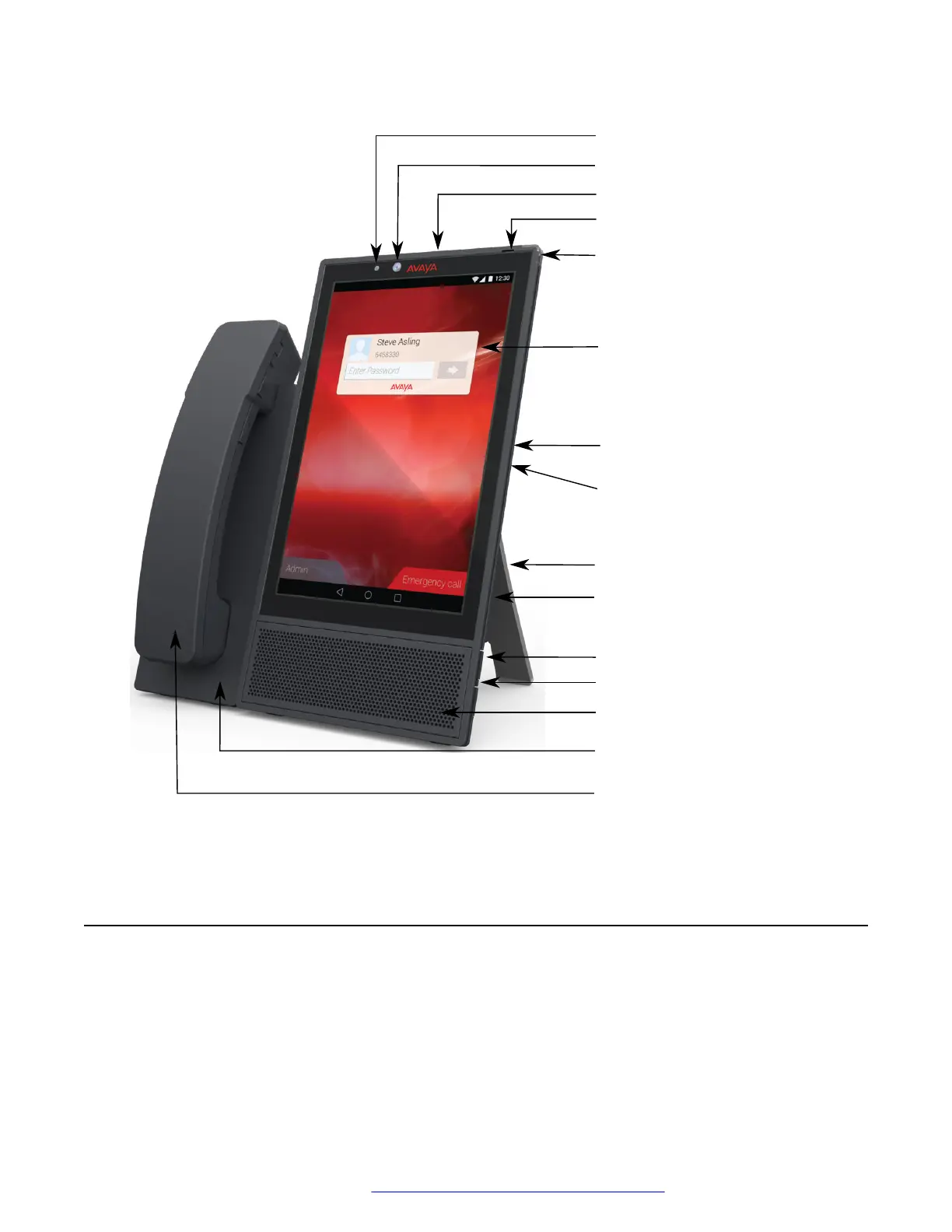
Camera
Camera shutter
Message waiting
indicator
USB Type-C port
Volume up
Volume down
Speaker
Microphone
Stand
Kensington lock slot
3.5 mm stereo
headset jack
Camera activity indicator
Wired or wireless handset
(optional)
Handset cradle
(optional)
Screen
Connectors and controls
The following images show the options available on the Avaya Vantage
™
device.
Rear panel
The rear panel contains a power adapter connector, an RJ9 headset port, and dual Ethernet ports
with an internal Ethernet switch.
Connectors and controls
May 2018 Installing and Administering Avaya Vantage
™
13
Comments on this document? infodev@avaya.com



 To Next Page