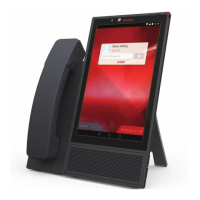
Avaya Vantage
™
supports transmission and reception of LLDP using Ethernet line interface. Avaya
Vantage
™
uses the LLDP_ENABLED parameter to determine whether LLDP is enabled on the
device. You can assign one of the following values:
• 0: The transmission and reception of LLDP is disabled.
• 1: The transmission and reception of LLDP is enabled. This is the default value.
• 2: The transmission and reception of LLDP is enabled. The transmission of LLDP is started
only after Avaya Vantage
™
receives an LLDP frame. Avaya Vantage
™
transmits the first LLDP
frame within 2 seconds after the first LLDP frame is received.
After transmission is started, LLDP Data Units (LLDPDU) are transmitted every 30 seconds.
When Wi-Fi is selected as the network mode, the Ethernet ports on Avaya Vantage
™
are disabled
and Avaya Vantage
™
cannot transmit LLDP frames over Ethernet.
After receiving of an LLDP frame, Avaya Vantage
™
encodes the frame and stores the value of the
frame in the LLDP_RCV_CONTENT parameter. Avaya Vantage
™
uses the frame data only if the
following conditions:
• The received frame has the destination MAC address set to the reserved group multicast
address (01:80:C2:00:00:0E)
• The Ethernet protocol type is 88:CC
Avaya Vantage
™
processes the value of LLDP_RCV_CONTENT every time the value of
LLDP_RCV_CONTENT changes.
Initial values of parameters transmitting in LLDP frames
The following table shows the initial values of LLDP fields that are set by Avaya Vantage
™
before
the first LLDP frame is transmitted.
LLDP field
Value
LLDP_TTL 120
LLDP_SYSTEM_NAME The host name sent to the DHCP server in DHCP
option 12.
LLDP_BRIDGE 0
SNMP_SYS_OID A string in the dotted-decimal character format that
represents the value of the sysObjectID object in
the MIB-II system group.
LLDP_MAU • 10 if the Ethernet line interface is operating at
10Mbps, half-duplex
• 11 if the Ethernet line interface is operating at
10Mbps, full-duplex
• 15 if the Ethernet line interface is operating at
100Mbps, half-duplex
Table continues…
Device configuration
May 2018 Installing and Administering Avaya Vantage
™
54
Comments on this document? infodev@avaya.com



 To Next Page