Setting a user group for a specific configuration
About this task
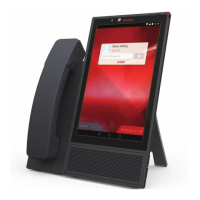
You can create several configuration sets and upload a specific set to the Avaya Vantage
™
device
according to a group identifier assigned to the device. Use this procedure to set a group identifier
to the device. You can only set the group identifier using the Settings menu of Avaya Vantage
™
.
Procedure
1. On the Home screen, tap Applications.
2. Tap Settings.
3. Tap More > GROUP.
4. Enter the group identifier.
The group identifier must be an integer between 0 and 999 inclusively.
5. Tap OK.
Setting up an HTTP proxy and exception
About this task
Use this procedure to specify the address of an HTTP proxy server. You can also enter the server
names to bypass the proxy server.
Procedure
1. On the Home screen, tap Applications.
2. Tap Settings.
3. Tap More > HTTP/S Proxy Settings.
4. Tap Proxy host name[:port].
5. Enter the HTTP proxy host name with a port number.
6. Tap OK.
7. Tap Bypass proxy for.
8. Enter one or more server names to bypass the proxy server. Use the comma sign to
separate server names.
9. Tap OK.
Device configuration using the Settings menu on the device
May 2018 Installing and Administering Avaya Vantage
™
61
Comments on this document? infodev@avaya.com



 To Next Page