Page 60 of 78
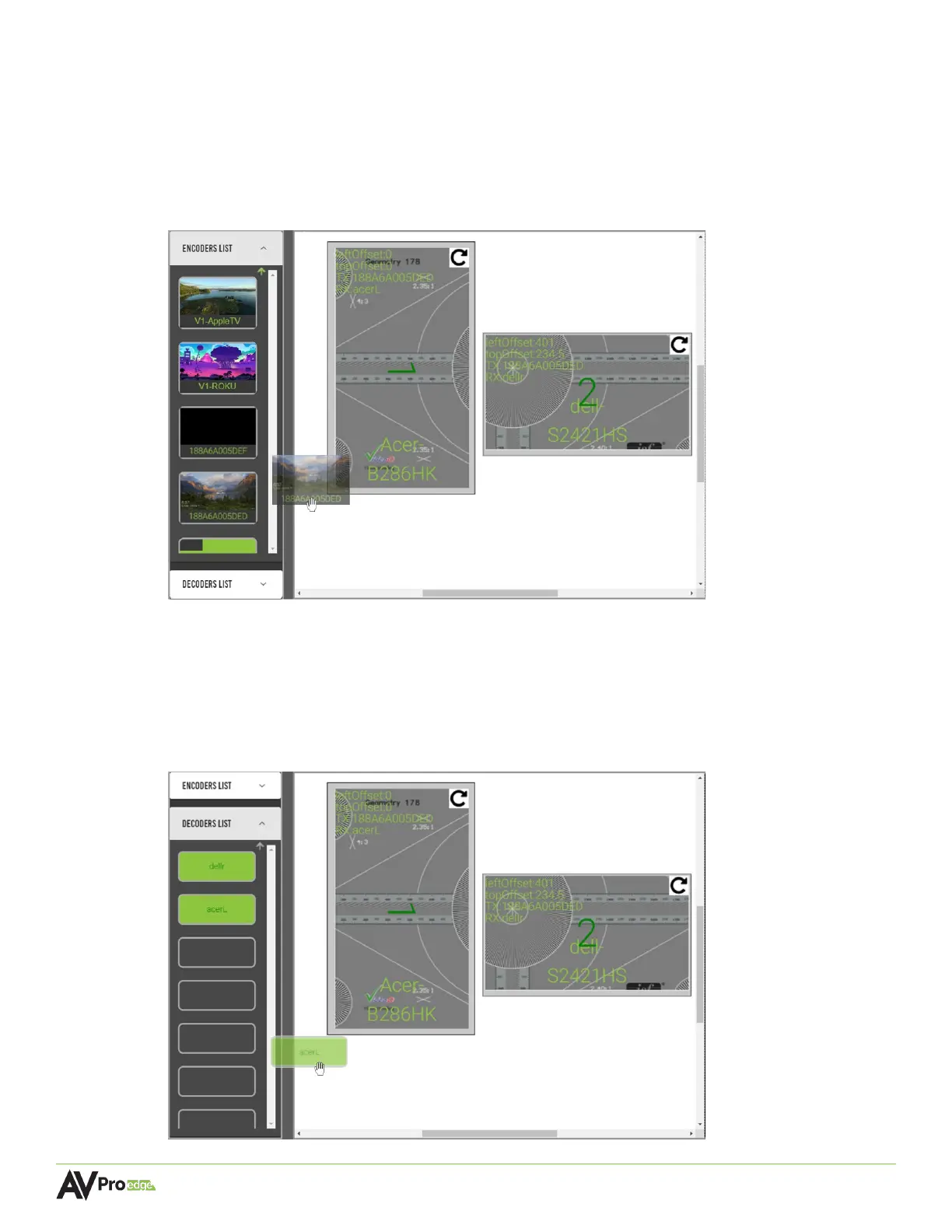
10 Select the encoders list dropdown menu in the left column, this will show a list of all of the
encoders with their connected source’s preview image as a selectable thumbnail.
11 Select the encoder by clicking and dragging the source’s thumbnail, moving it over to the
right, and dropping it onto a panel.
The selected source’s custom name will now appear in the top-left corner of the panel,
indicating that source is now assigned to this display. Repeat this step for other panels.
12 Select the decoders list dropdown menu, this will show a list of all of the decoders as
selectable buttons. Select the decoder by clicking and dragging the decoder, moving it
over to the right, and dropping it onto a panel.
The selected display’s custom name will now appear in the top-left of the panel, indicating
the selected display is now assigned to this panel. Repeat this step for the other panel with
the other display’s decoder.



 To Next Page