Page 70 of 78
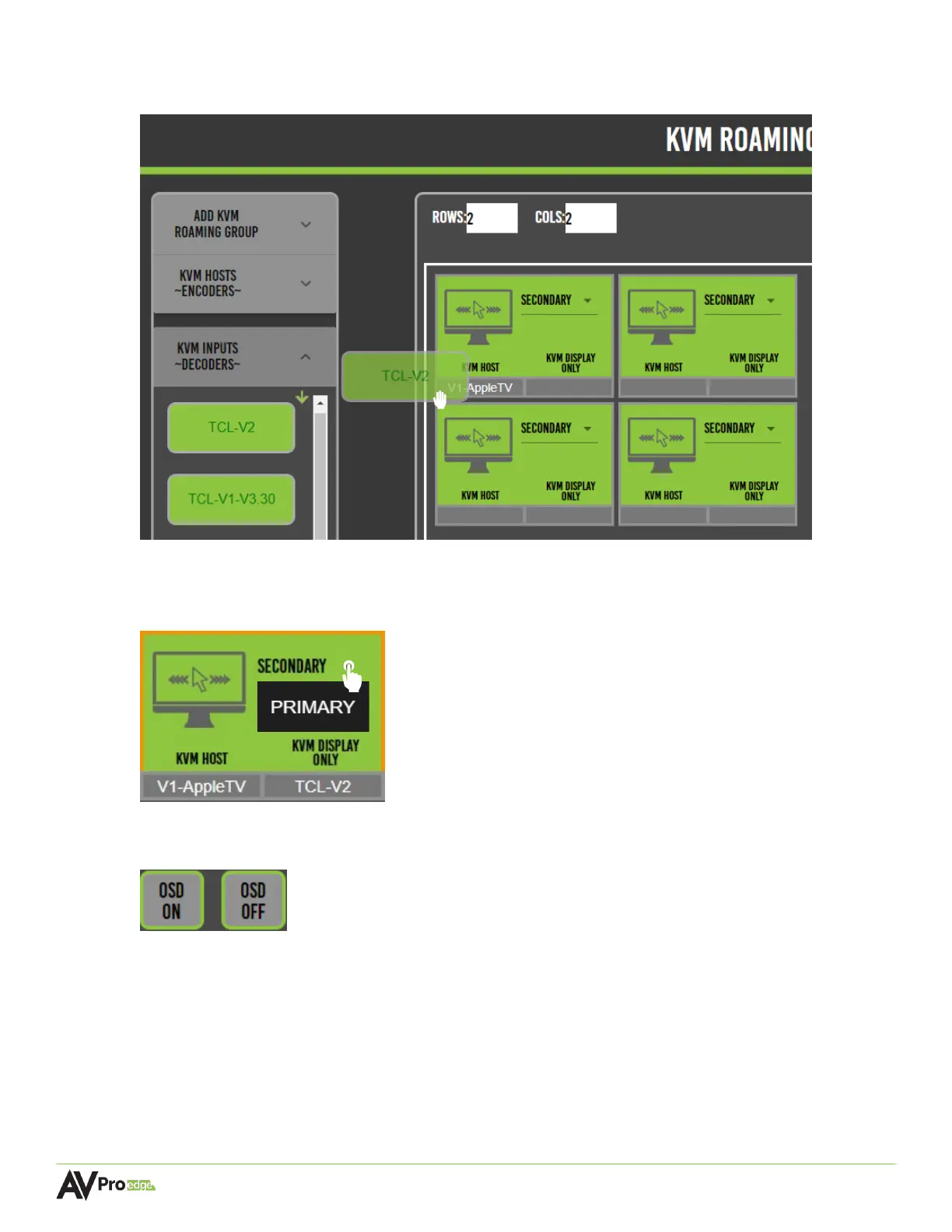
7 Select the decoder by clicking and dragging the decoder, moving it over to the right, and
dropping it onto the same tile.
8 The dropdown menu included within each tile can be selected as primary or secondary.
Choose primary for main USB hosting devices (such as a desktop PC), and secondary for
remote KVM endpoints, (such as a mouse or keyboard connected to a different display).
9 (Optional) the OSD on and off buttons can be selected to toggle the OSD overlay to the
displays.



 To Next Page