First Installation Recommendations | FIRST CONNECTION
FIRST CONNECTION
Connect a LAN cable to the OXYGEN LAN port on the back panel of the console. The device is
automatically discoverable as a DHCP client in your network. Download the Oxygen Remoter setup file
from the following URL:
HTTPS://WWW.AXELTECHNOLOGY.COM/PUBLIC/OXYGENREMOTER/OXYGENREMOTERSETUP.EXE
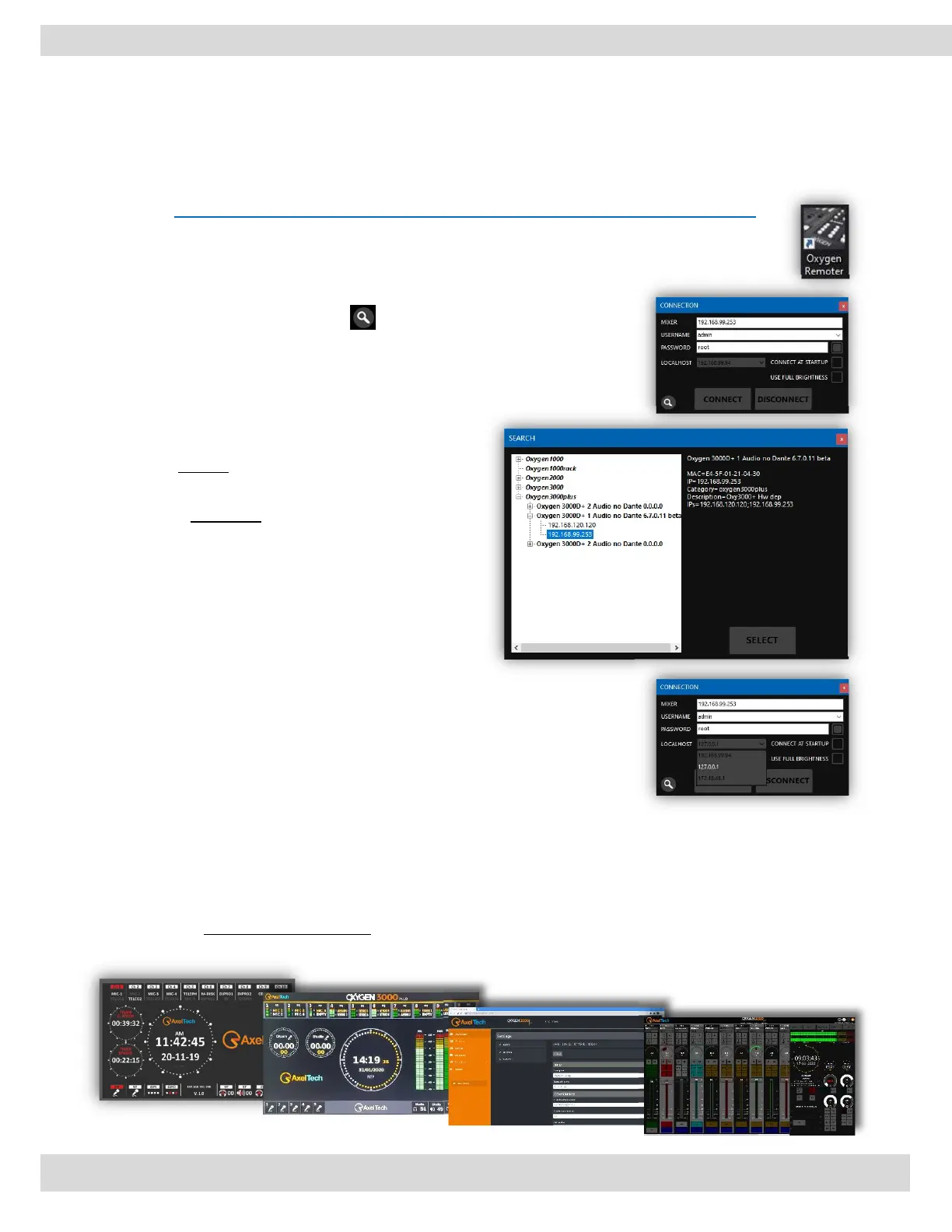
Launch the downloaded OxygenRemoterSetup.exe installation file. Open Oxygen Remoter by
clicking on the OxygenRemoter.exe icon. You will see the following window: [MORE INFO ]
Click on the search device button on the bottom left.
Look for your device in the list and click on it. and
click on the SELECT button.
Then click on CONNECT button to start real-time
communication with the target device.
NB:
Default username: admin
Default password: root
The Localhost dropdown menu is used to select
from which IP address you need to communicate
with the console (in case your PC has more than
one IP).
The console is equipped with two Internet Protocol (IP) addresses, one of which is assigned as a static IP
only (the default IP address is 192.168.120.120). And the other one comes out pre-set as DHCP to
facilitate the first connection. Both of them are fully configurable by navigating to
SETUP / GENERAL / COMMUNICATIONS / TCP-IP [MORE INFO ]
It is possible to command and monitor the console using the integrated display, HDMI out, Web interface,
and remoter software.



 To Next Page