SURFACE | CHANNEL CONTROLS
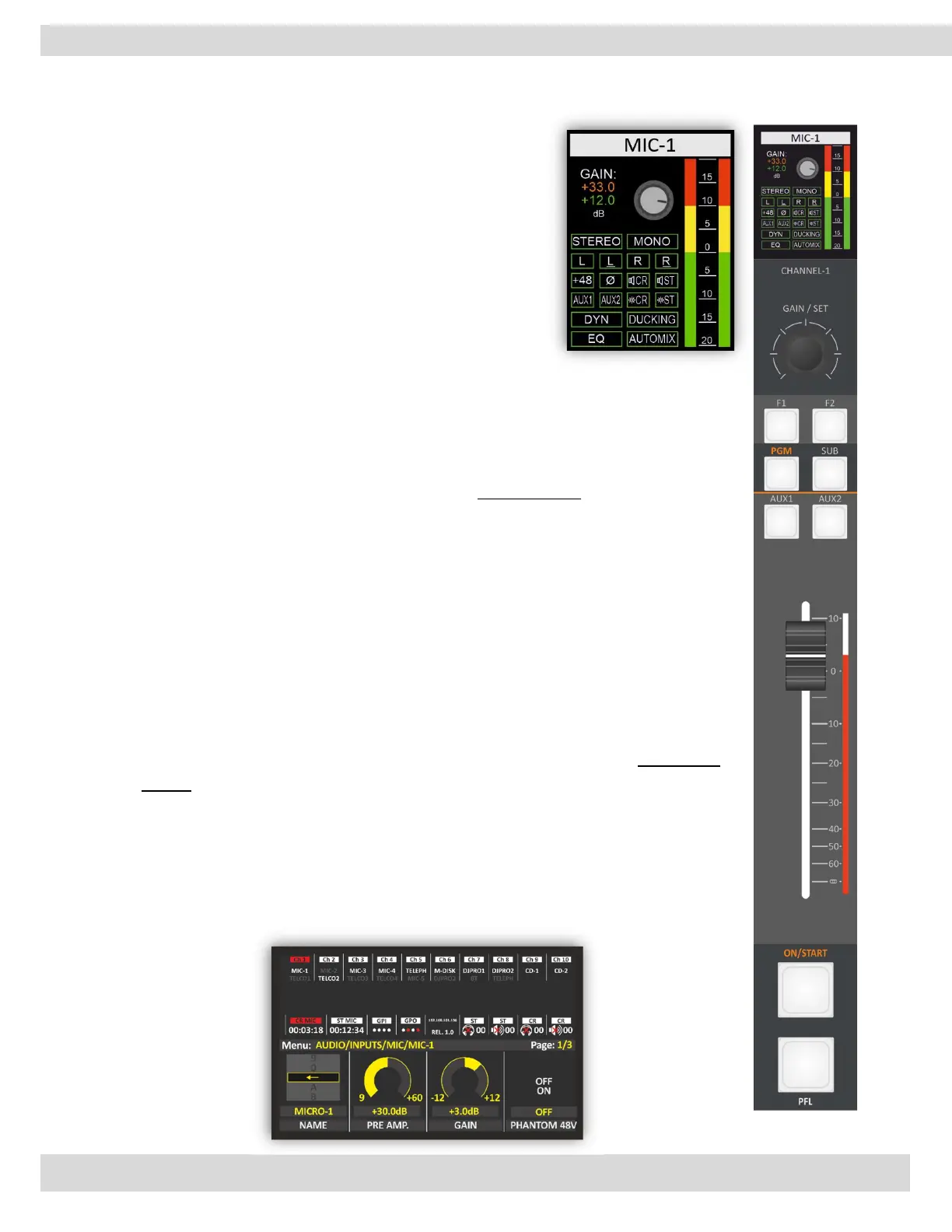
3.1.1. CHANNEL DISPLAY
provides visual feedback on the status of the input source and
the PRE-FADER audio level and the channel configuration. It is
contained much useful information about the source
configuration such as PRE-AMP, Gain, Pre-Fader Listen, signal
type, Phantom, speaker cutting 🔊, on-air light, and much
more.
If you need to see more information (PRE, POST, EQ spectrum),
control and change the configuration of this source, navigate to
the source page on the MENÙ.
For example MAIN / AUDIO / CHANNELS / CHANNEL 1 / A-CONFIG [MORE INFO ]
3.1.2. GAIN
In addition to adjusting the input level, the knob can also be used to switch between
different audio input sources. This is typically done by pressing down on the knob, which
will toggle between the primary source (CH-A) and the secondary source (CH-B). This
feature is useful when you want to switch between different audio sources quickly
without having to go through a menu or button controls.
The rotation of the GAIN knob corresponds to an increase or decrease in the gain
of the selected input source.
The GAIN value is linked with the chosen source, ChA/ChB, as opposed to the
physical channel.
Upon switching the source, the GAIN automatically adjusts to the connected
source, rendering it suitable for use.
When the GAIN knob is rotated, a small window is opened in the main menu
display, depicting the GAIN level.
The GAIN value is the most recent setting selected by the knob, and it impacts the
input level within a range between -20 dB to +20 dB.
The GAIN adjustment knob can be set in steps of 0.1 dB.
It is also can change the GAIN level from the menu by navigating to MAIN / AUDIO /
CHANNELS / CHANNEL 1 / A-CONFIG [MORE INFO ]



 To Next Page