32
SURFACE | CHANNEL CONTROLS
3.1.3. F1 & F2
These are 2 configurable buttons that can be set in the physical channel to enable/disable
many features such as (TalkBack, COMPRESSOR, DUCKING, and EQ).
In the CALL LINE sources such as "TELEPHONE, TELCO, OR BLUETOOTH" this button
can be set as TELEPHONE for the incoming call signal, hook, and drop the call.
In other sources like MIC or LINE, it can be configured to enable/disable some
functions such as compressor, ducking, and EQ.
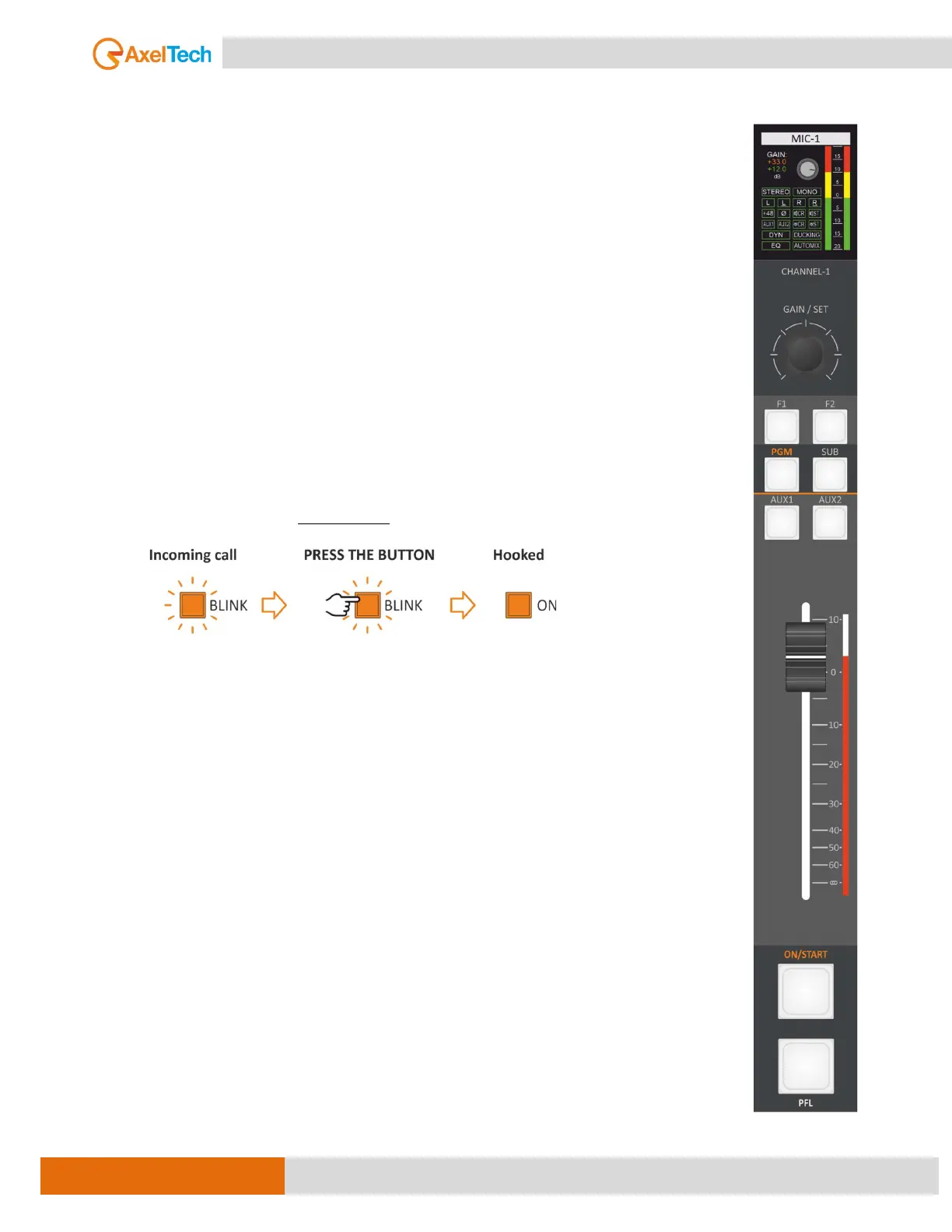
The console features a button for signaling incoming calls and answering or ending calls
on the associated phone line, be it TELEPHONE, TELCO, or BLUETOOTH. When an incoming
call is detected, the F1 button begins to flash, indicating its presence. By pressing the F1
button, the call is answered and subsequently hooked.
F1 LED off = the line is not hooked.
F1 LED blinks = there is an incoming call (RING).
F1 LED on = the line is hooked.
By pressing F1 again you drop the line.
For other sources, such as MIC or LINE, the F button can be configured to enable or
disable certain functions, such as compressor, ducking, and EQ.
To change the F1 button mode of mic 1 for example, navigate to
MAIN / AUDIO / INPUTS / MIC / MIC 1 / ADV. SETTINGS (page 2/3) [MORE INFO ]
3.1.4. PGM, SUB, AUX1, AUX2
The PGM, SUB, AUX-1, and AUX-2 buttons enable/disable the output signal
routing on the related BUS, the RGB LEDs under the related button has three
different states color:
1) disabled (LED OFF)
2) enabled + Channel ON
3) enabled + Channel MUTE
The Different in PGM, and SUB BUS’s status, it's not associated with the source, like
AUX-1, AUX-2, EQ, and GAIN but with the physical channel. when you change the
source, the BUS’s status will not change.
It’s possible to set AUX-1 and AUX-2 to be POST-Fader, PRE-Fader, or PRE-FADER
ALWAYS ON. This choice is settable in the settings menu of every channel’s input
source. To configure the AUX BUS of the first microphone, for example, navigate to
MAIN / AUDIO / INPUTS / MIC / MIC 1 / ADV. SETTINGS (page 2/3) [MORE INFO ]



 To Next Page