MENU | GENERAL SET.
4.3.4. LIGHT & DISPLAY
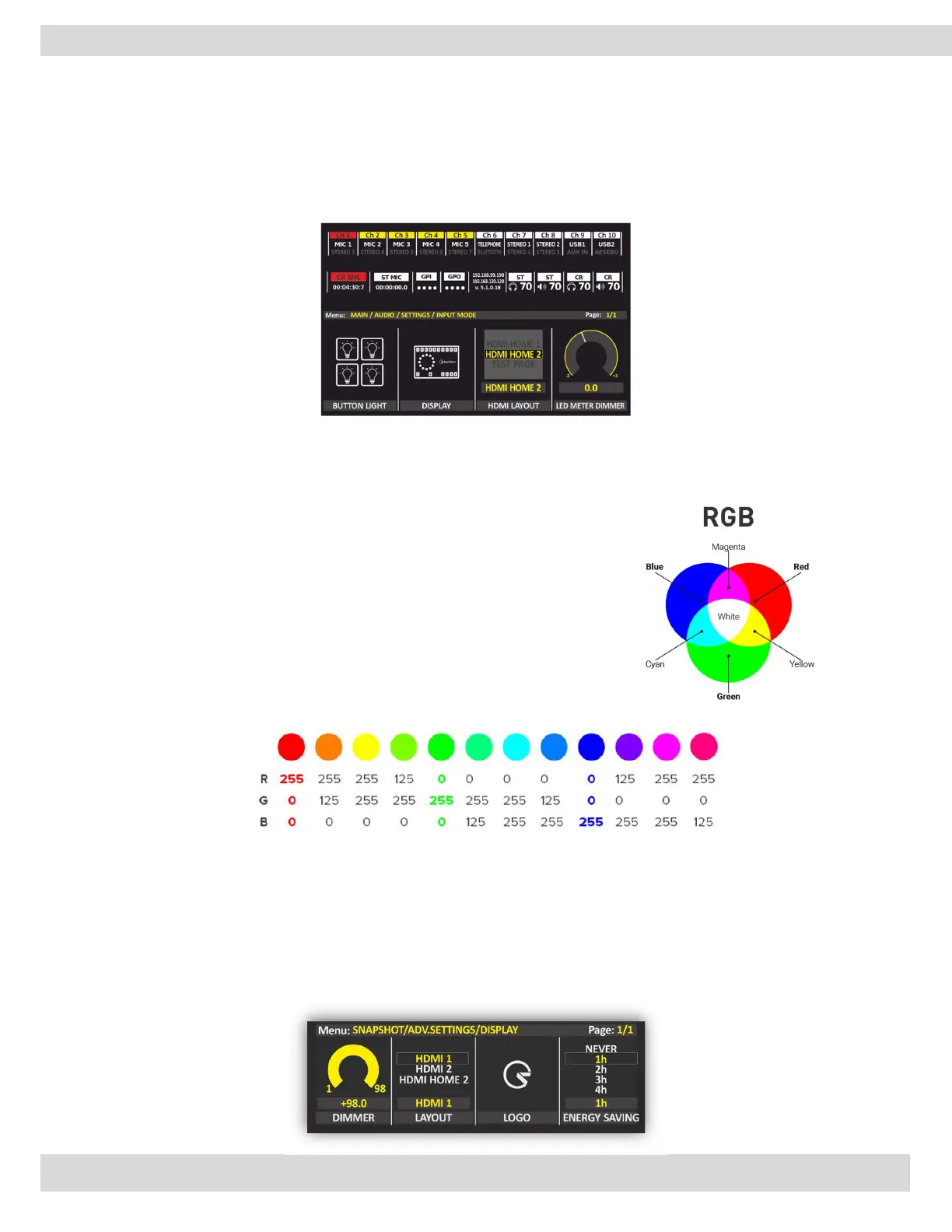
From the following menu sub-sections, you can set the led colors and the led brightness. It is also possible to choose
between the different HDMI output layouts available.
From the following menu, you can set the display light and the led brightness.
BUTTON LIGHT
in this section can set the light intensity of buttons. Also, it can set a different color for MUTE, PFL, and
MENU.
That is also 4 editable colors (color-1 to 4)
An RGB color value is specified with RGB (red, green, blue).
Each parameter (red, green, and blue) defines the intensity of the color as
an integer between 0 and 255.
For example, RGB (0, 0, 255) is rendered as blue, because the blue
parameter is set to its highest value (255) and the others are set to 0.
Just for example:
DISPLAY
From here, the display screen can be dimmed, and change the HOME view style. also, it is possible to
load the logo to be viewed on the main screen.
To have the logo of your own station on the Mixer display. The image must be 330x280px in PNG
format and named logo.png then put this logo on the USB memory stick and insert it in the USB port
at the rear of the mixer. click on READ USB to load it.



 To Next Page