MENU | GENERAL SET.
4.3.2. COMMUNICATIONS
From the GENERAL SET part of the menu, you can set the communication parameters like IP, DNS, Date &
Time, Time zone, and NTP server. The high flexibility in OXYGEN Digital console design gives you the full
ability to set this terrific console as you like and as your audio projects are needed. For example, OXYGEN
comes with two TCP/IP connections. One of them is for monitoring, WEB INTERFACE, REMOTE CONTROL,
and data source (NTP server), and the second one we can use to connect our console with other machines
or software like VJ PRO.
TCP-IP
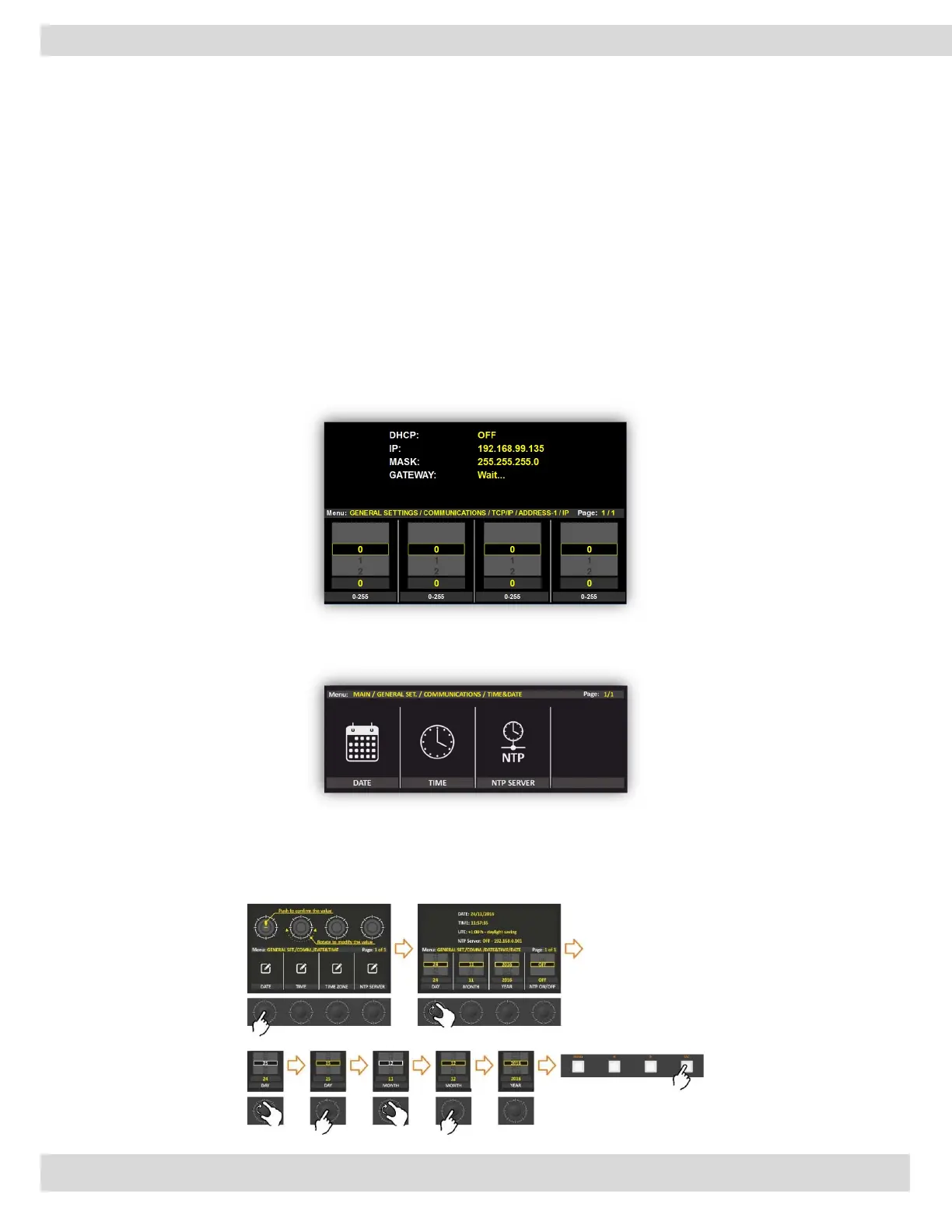
From the following pictures, you can see how to set the parameters for all the menus: IP, MASK, and
GATEWAY. We will explain only one of these cases: the IP settings. The other cases work in the same way.
By rotating the 4 encoders you can set a new IP Address. Every encoder goes from 0 to 255.
By pressing the encoder, you can confirm your choice.
TIME & DATE
From the General SET. / Communications / TIME&DATE you can configure all parameters related to
time and date.
TIME
From the following section, you can set all the parameters related to the date settings. These data
parameters are very important for device LOGS.



 To Next Page