SURFACE | MONITORS SECTION
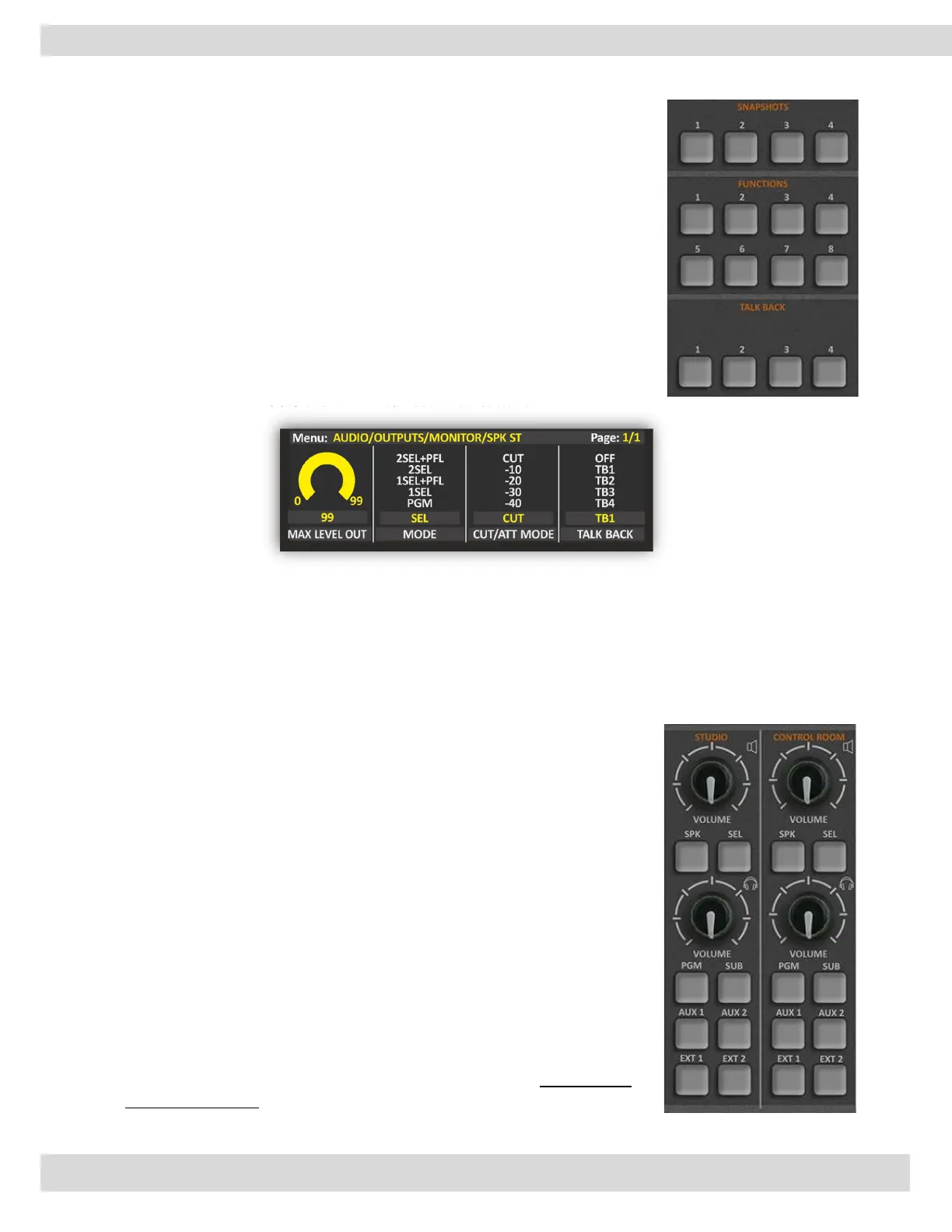
3.2.3. TALKBACK
The talkback system is a system used to facilitate communication between the
mixing engineer or producer and the performers or other personnel in the
studio.
The mixing engineer or producer can use the talkback button on the mixing
console to activate the microphone and communicate with other personnel in
the studio, such as an assistant engineer or a technician, to coordinate
technical tasks and troubleshoot issues.
MENU / AUDIO / OUTPUTS / MONITOR / SPK-STUDIO / TALKBACK
(TB1, TB2, TB1+TB2) [MORE INFO ]
Here you can disable/enable the TALKBACK communications.
3.3. MONITORS SECTION
LOUDSPEAKERS & HEADPHONES
This section is used for the management of the Control Room and
Studio loudspeakers and Headphones.
The rotary control knobs allow you to amplify/attenuate the audio level.
The audio level goes from 0 to 99 is the maximum allowed level. Can set
the maximum level by going to this page:
MENU / AUDIO / OUTPUTS / MONITOR / SPK-CRM
The step of the loudspeaker adjustment is 1 dB and the level goes from
-80 dB to the maximum of +19 dB.
By pressing the knob, you can mute or play the control room
monitors if it is already muted.
To unmute the speaker just press the knob or increase/decrease
the audio level by rotating the knob and confirm that by clicking on the
same knob.
The loudspeaker’s level and status are displayed in the bottom-right
section of the LCD.



 To Next Page