38
SURFACE | MONITORS SECTION
MODE: 1SEL, 1SEL+PFL, 2SEL or 2SEL+PFL
PFL (pre-fader listen): This mode allows you to listen in speakers to the audio of
the single channel before the intervention of the fader.
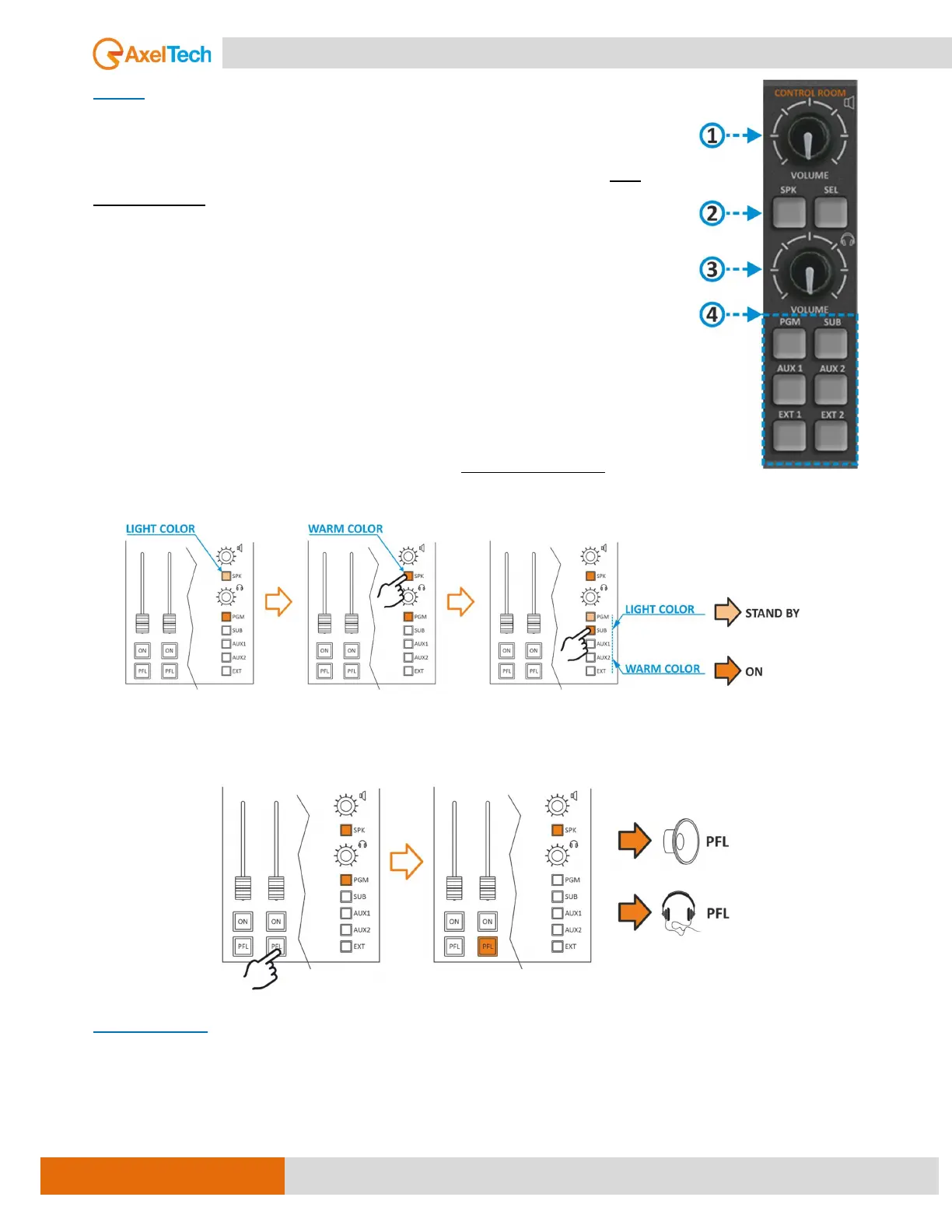
1SEL (one selection): This option allows you to listen in speakers to only ONE
selected output from the output section ④ (PGM, SUB, AUX1, AUX2, EXT).
1SEL+PFL: This mode allows you to listen to ONE selected output or PFL if press
the button PFL of one channel.
2SEL (two selections): This option allows you to listen to ONE selected output ④
(PGM, SUB, AUX1, AUX2, EXT), And by pressing the SPK button ② you will be
able to listen to different outputs in speakers.
EX.: if you need to listen to different output in SPK-CRM Control Room Speakers,
select the 2SEL mode from the setting and press the SPK button in section ② (it
will show up in warm color), then press any other output button from section ④
(it will show up in warm color) to hear that output in the speakers only. (see the
next figure).
2SEL+PFL: It is a similar mode to the above-mentioned case, in addition to that you can hear the PFL in
a bout of headphones and speakers simultaneously. (see the next figure).
CUT-ATT-MODE
MENU / AUDIO / OUTPUTS / MONITOR / SPK-CRM / CUT-ATT-MODE
CUT MODE: it’s allowed the microphone to CUT OFF the audio of control room loudspeakers once the
microphone goes to ON. The opening of a microphone channel (if configured appropriately) can generate



 To Next Page