70
MENU | GENERAL SET.
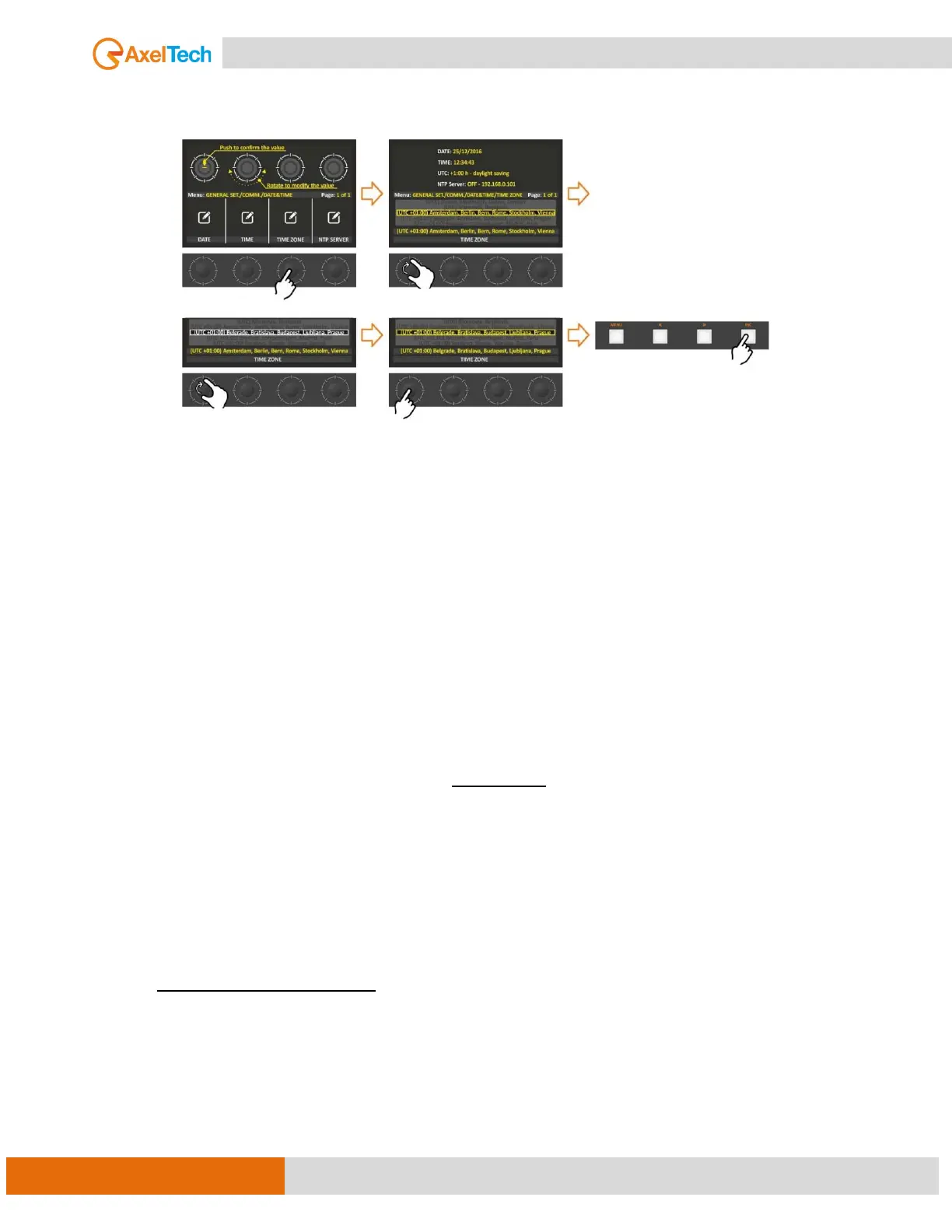
TIME ZONE
From this parameter, you can set the TIME ZONE. You can set the right Offset to the UTC time.
NTP
Network Time Protocol. This section contains all the settings related to NTP features. it is, in fact,
possible to connect the device to an NTP server, and in this way, the device will synchronize its own
date and time with the server.
NTP Server in the world:
· europe.pool.ntp.org (217.147.223.78)
· asia.pool.ntp.org (140.130.175.9)
· oceania.pool.ntp.org (203.23.237.200)
· north-america.pool.ntp.org (66.250.45.2)
· south-america.pool.ntp.org (146.164.53.65)
· africa.pool.ntp.org (196.25.1.9)
4.3.3. ACCESS CODE
The Oxygen console gives the user the ability to lock the settings with a passcode to prevent any
modifications by unauthorized persons. There are two different Access Codes (4-digit PIN) to help you if
one of the two passcodes is forgotten.
Two different Passcode
The default passcode is 0000
It can disable and enable both of them together by ON/OFF selection.
Can set the passcode to lock the display after 10, 30, or 60 minutes.
ENABLE: If No is selected, the console will never be locked. If Yes is selected, the console will be locked
after the Unlock Time selected in the last parameter of this section. After the Unlock Time, the
console needs CODE1 or CODE2 to be unlocked successfully.
CODE1: here you can set the primary desired code to Unlock the console after Unlock Time will be passed.
CODE2: here you can set the secondary desired code to Unlock the console after Unlock Time will be
passed.
UNLOCK TIME: Select between the available options the time after you want the console will be
automatically locked. Choosable options are 10 min, 30 min, and 60 min.



 To Next Page