MENU | AUDIO
F button MODE:
From here, you can change the way the F button communicates with the external hybrid and can select
one of three choices available (NONE, GPIO, DEVICE)
NONE: no action.
GPIO: F button communicates with the external TELEPHONE HYBRID by the traditional general-purpose
Input/Output.
DEVICE: The F button communicates with the external TELEPHONE HYBRID by the GPIO over IP. That
gave the possibility to communicate with an external telephone hybrid via ethernet.
PRIVATE MIC
To initiate a private conversation with a caller, one must press the PFL button located on the TELEPHONE
line channel. The input dedicated to facilitating communication with the caller is referred to as PRIVATE MIC.
Similar to the Talkback feature, the PRIVATE MIC input is not subject to control by the ON/START button or
the fader level. It is the designated microphone that facilitates confidential communication with the caller,
and the conversation that transpires through this input remains inaudible in the loudspeakers and MAIN
outputs. It is possible to configure one or more private microphones to enable communication with the
caller.
By pressing PFL (in the telephone channel) you can speak in private to the radio listener ( caller ) from each
microphone that has the private mic function ON.
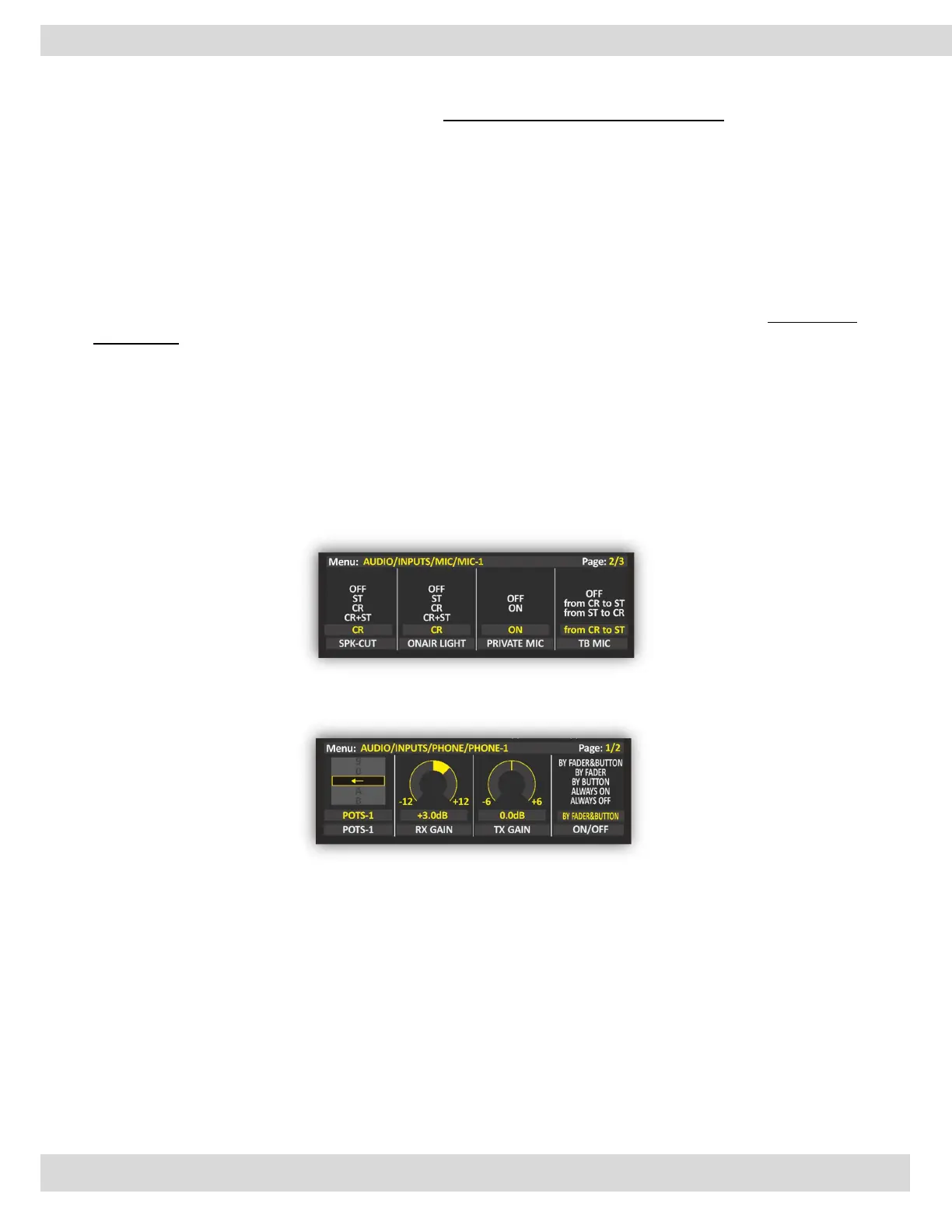
To set the private mic ON, navigate to MENU: MAIN / AUDIO / INPUTS / MIC / PRIVATE MIC (ON)
That can control the GAIN TX from the menu to decrease or increase the TX audio gain “output to the
caller”. It’s easy to adjust it between -20 dB to 20 dB by rotating the GAIN TX knob. The step of the
adjustment is 0.1 dB.
INTEGRATED HYBRID LINE
You can directly connect a POTS/PSTN phone line to the OXYGEN back panel through the RJ11 connector
called TELEPHONE LINE.
Before sending the phone call ON AIR, it is also possible to manage the phone call through the parallel
POTS/PSTN phone device connected to the next SET port on the RJ11 connector.
The following parameter setting:
MAIN / AUDIO / INPUTS / PHONE / TELEPHONE 1 / ADV. SETTINGS
lets you assign the HOOK / DROP function to the related F button. This parameter only affects the
channel on which you have assigned the TELEPHONE source (so TELCO, BLUETOOTH will not be
affected).



 To Next Page