44
MENU | AUDIO
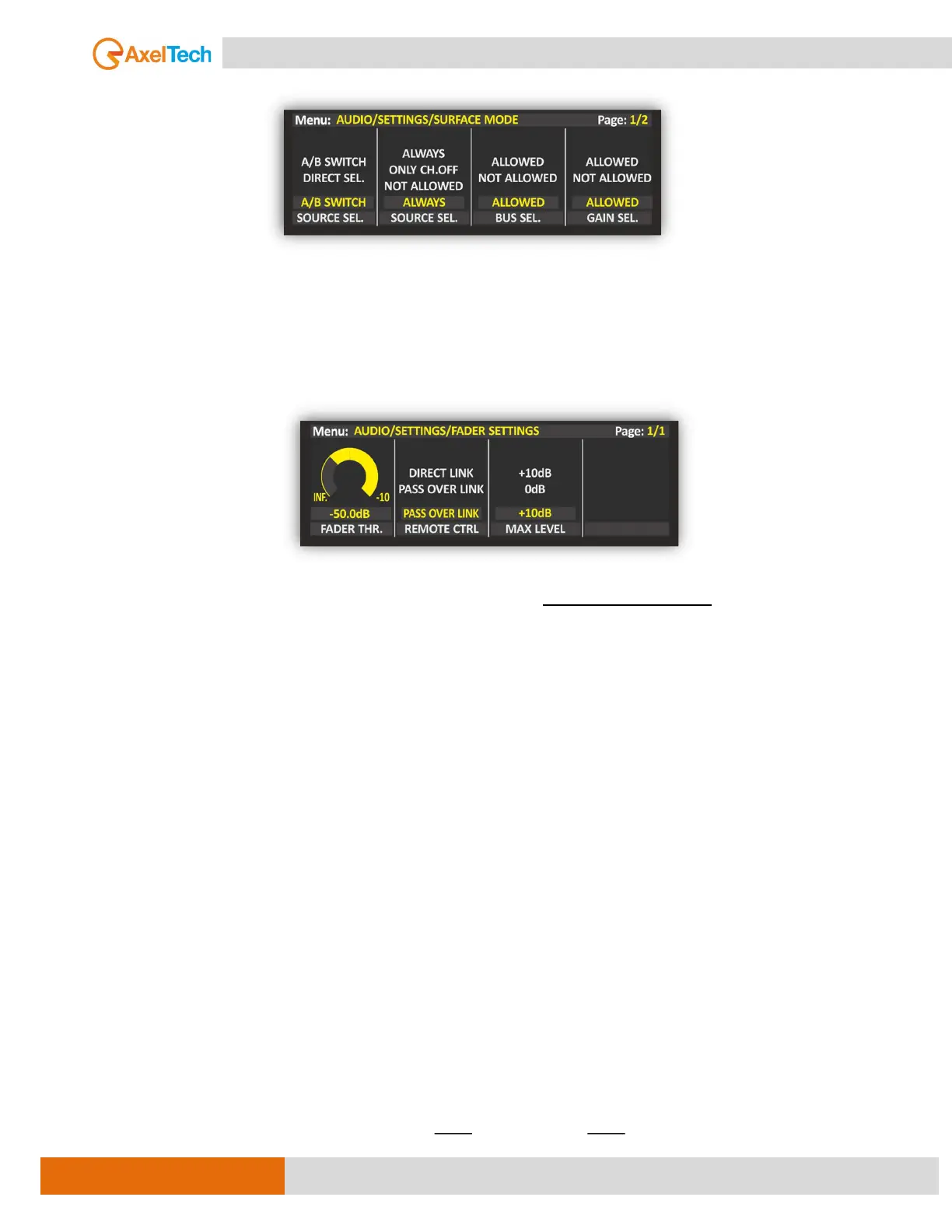
SURFACE MODE
SOURCE SEL
ALWAYS ALLOWED: you can always switch between A/B channel sources whenever it’s pressed the GAIN
knob.
FADER SETTINGS
FADER THRESHOLD
The setting of this threshold parameter allows you to establish the minimum threshold of each fader, so
that above it the channel is ON, and below it, the channel is OFF.
In this previous example every time the channel fader goes above -50 dB the channel will be activated.
Every time the channel fader goes below -50 the channel will be deactivated.
FADER REMOTE CONTROL MODE
This parameter allows you to manage the relationship of all channels between the relative physical slider
and the corresponding virtual slider:
DIRECT LINK: this setting always maintains the coordination between the movement of the physical slider
and the movement of the related virtual slider within the OXYGEN REMOTER. The physical slider always
drags the virtual slider with itself.
PASS OVER LINK: this setting takes effect every time the virtual slider is raised/lowered by OXYGEN
REMOTER. The related physical slider is disconnected and even if moved it does not drag the virtual slider
of OXYGEN REMOTER with itself.
In order for the physical slider to have control over the virtual slider again, you should put the physical
slider level into the following condition:
Physical Slider Level = Virtual Slider Level



 To Next Page