MENU | AUDIO
4. MENU
4.1. AUDIO
4.1.1. SETTINGS
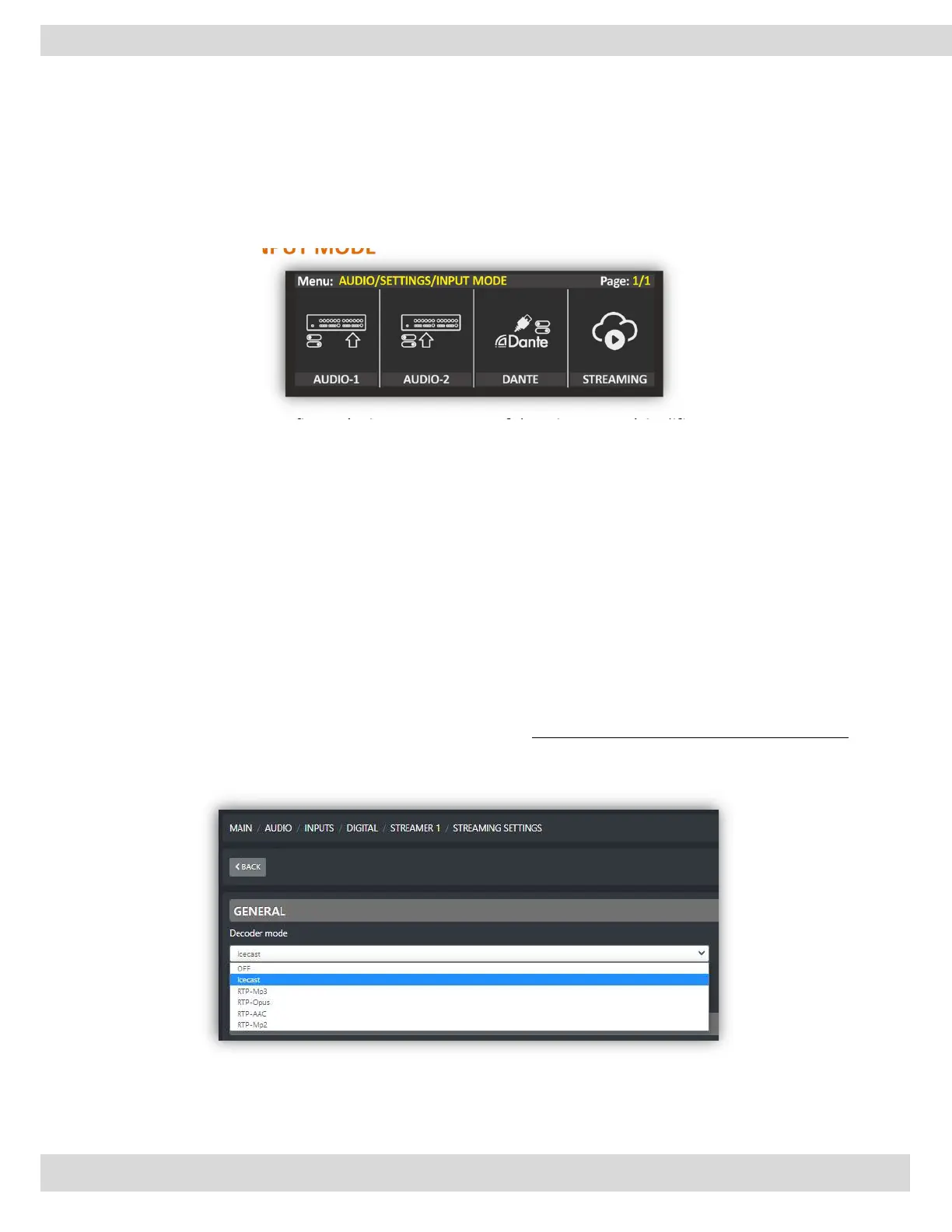
INPUT MODE
This menu allows you to configure the inputs or sources of the mixer to work in different modes, such as
stereo or two mono channels.
In stereo mode, the input signal is split into two channels, typically a left and right channel, allowing for
stereo panning and spatialization effects in the mix. In 2 MONO mode, the input signal is treated as two
separate mono channels, which can be independently processed and mixed into the final output.
In the case of 2 MIC mode, the mixer would allow two separate microphone inputs to be used
independently.
Additionally, you mentioned that with Dante sources, there is an option to configure the inputs as
"2TELCO".
STREAMING
To configure the streaming sources ENCODER and DECODER, please check the WEB interface user manual.
For example, to configure the streaming input (DECODER), go to the OXYGEN web interface and navigate
to MAIN / AUDIO / INPUTS / DIGITAL / STREAMER 1 / STREAMING SETTINGS



 To Next Page