30
SURFACE | CHANNEL CONTROLS
3.1. CHANNEL CONTROLS
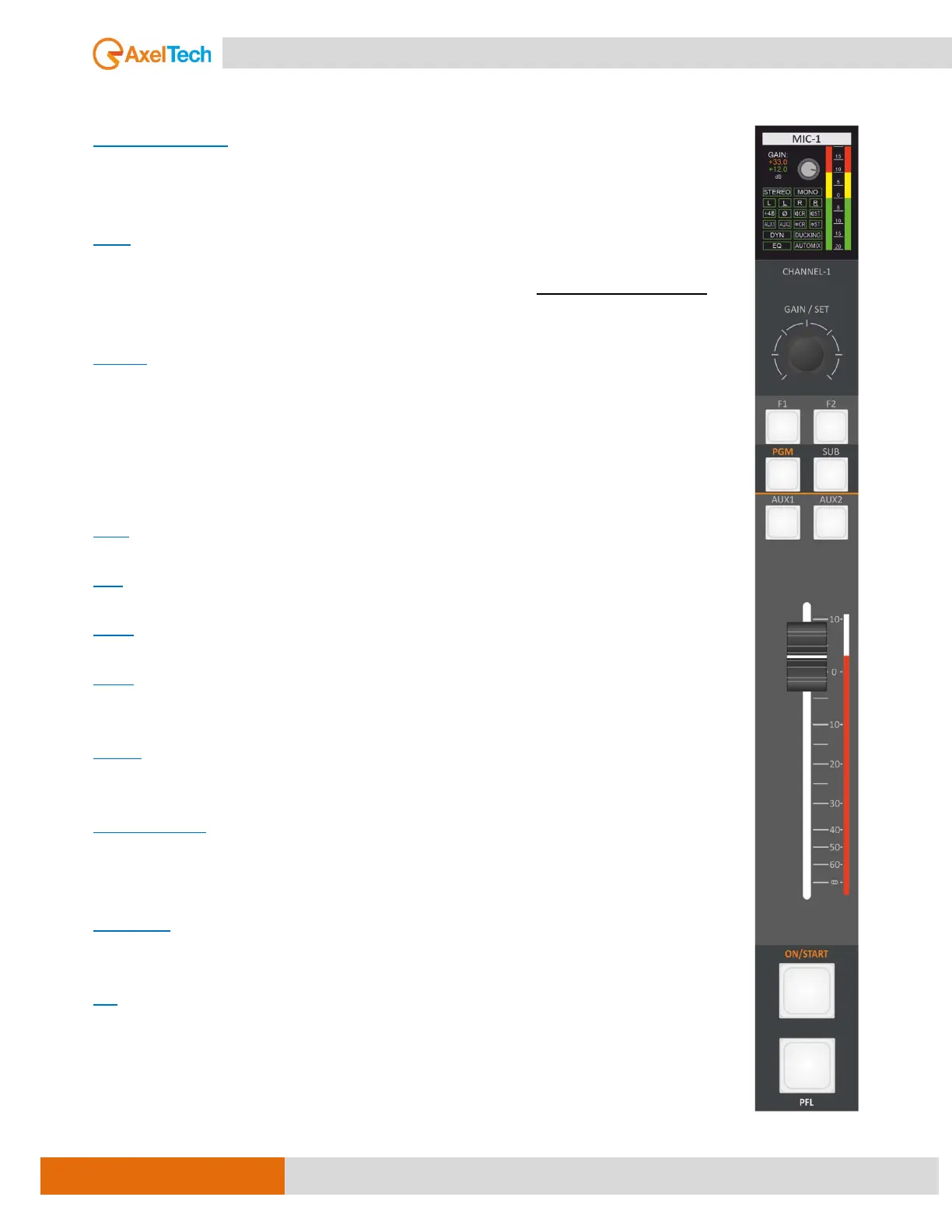
CHANNEL DISPLAY
CHANNEL DISPLAY is used to display the status input source and the PRE-FADER audio
level and the channel configuration. [MORE INFO ]
GAIN
knob for the adjustment of the input source level and for source switching between
the primary source (CH-A) and the secondary source (CH-B) by pressing on the knob.
[MORE INFO ]
F1 & F2
In the CALL LINE sources such as "TELEPHONE, TELCO, OR BLUETOOTH" this button can
be set as TELEPHONE for the incoming call signal, hook, and drop the call.
In other sources like MIC or LINE, it can be configured to activate or deactivate some
functions such as compressor, ducking, and EQ. [MORE INFO ]
PGM
Button to send the channel to PGM BUS. [MORE INFO ]
SUB
Button to send the channel to SUB BUS. [MORE INFO ]
AUX1
Button to send the channel to AUX-1 BUS. [MORE INFO ]
AUX2
Button to send the channel to AUX-2 BUS. [MORE INFO ]
FADER
The fader allows the source level attenuation. [MORE INFO ]
FADER LED BAR
It indicates the attenuation level and the source type by setting different colors for each
type of audio source. [MORE INFO ]
ON/START
Button to switch between STANDBY and ON AIR for the selected source. [MORE INFO ]
PFL
This button allows you to hear the Pre-Fader Listening to control the audio quality and
level before sending it to ON AIR. It is also used to talk privately (off-air) with the
phone caller. [MORE INFO ]



 To Next Page