46
MENU | AUDIO
4.1.2. INPUTS
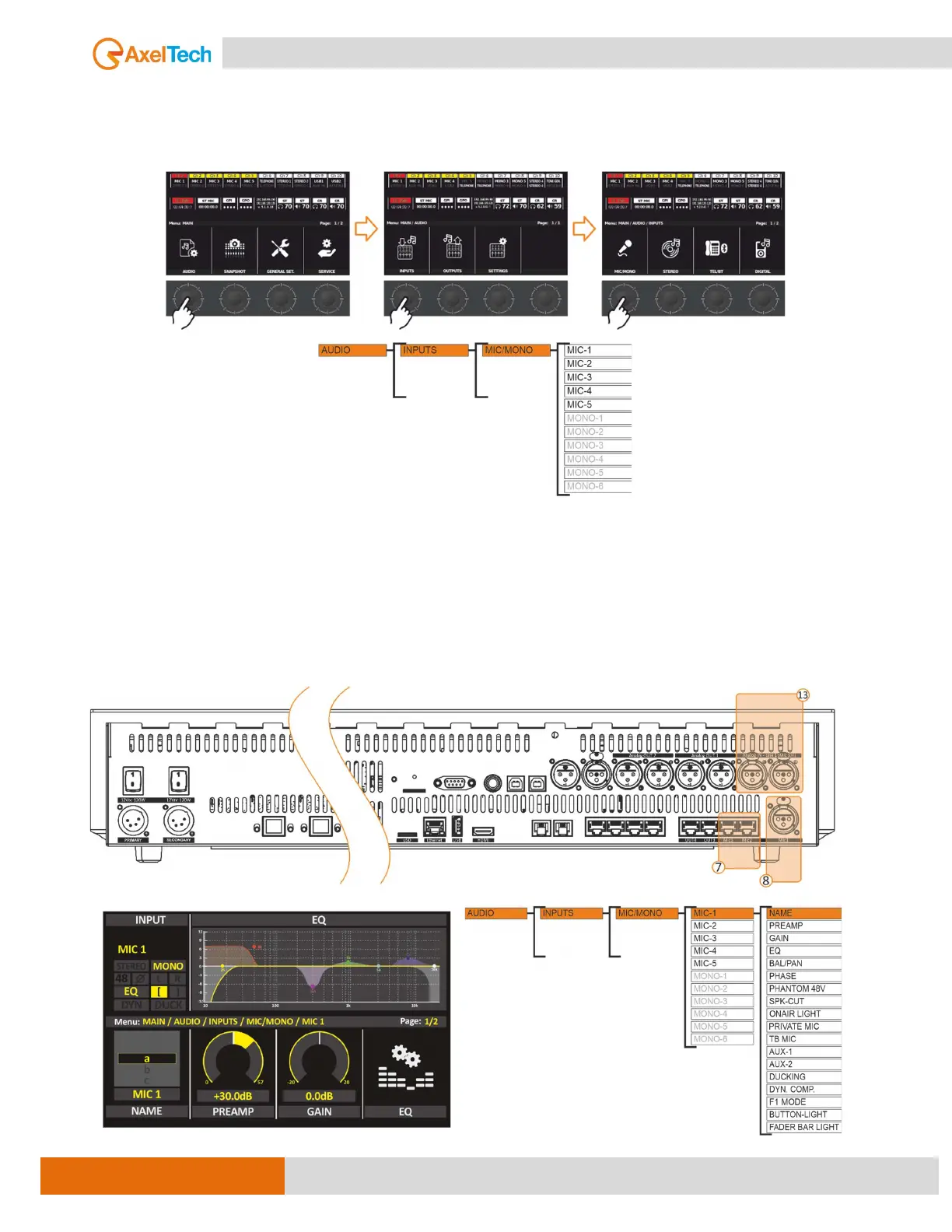
You can set Input source parameters from the menu MENU / AUDIO / INPUTS by PUSH/RUTATE
the knobs as in the following steps.
From this level of the menu, you choose which input source you like to customize.
MIC (MIC-1 to MIC-10)
Here we can find all Microphones source parameters. That can manage the microphones’ inputs like
changing the NAME, GAIN, PAL/PAN, PREAMP, PHASE, PHANTOM 48V, and many other functions
we going to explain briefly below.



 To Next Page