36
SURFACE | SPECIAL FUNCTION BUTTONS
3.2. SPECIAL FUNCTION BUTTONS
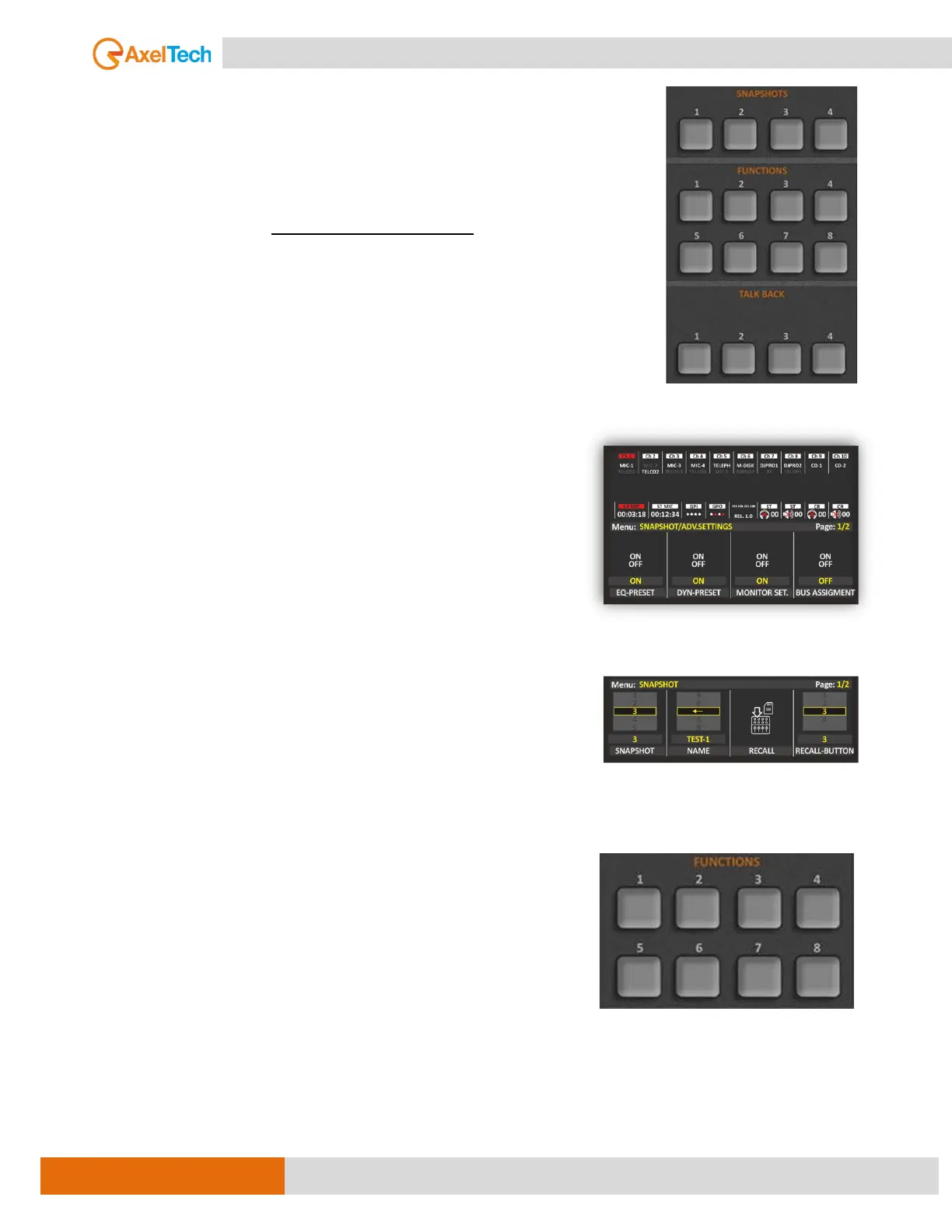
3.2.1. SNAPSHOTS
Here we have 4 buttons and each button can be set to recall a specific
CHANNELS snapshot that you've saved.
Snapshot functionality allows you to save 10 presets for CHANNELS and can
select which parameter to recall from the snapshot (EQ, COMPRESSOR, BUS
ASSIGNMENT, FADER, PRE-MIC LEVEL, CHANNEL ON/OFF) and much more.
To configure the CHANNELs snapshots from the surface and display, navigate to
MAIN / SNAPSHOT / ADV.SETTINGS
By this section, you can easily save and load up to 10 presets.
Into each preset (1, 2, 3, 4, 5, 6, 7, 8, 9, 10) you can store all the
current Channels (CH1, CH2, CH3…CH10) status related to Audio
Inputs (CHA and CHB) assignment, EQ and COMPRESSOR.
It is possible to give a name for each snapshot. When you save a
snapshot, you give it a name so that you can easily recall it later. This
is where the buttons you mentioned come in.
For example, let's say you have four different configurations of
your mixer that you commonly use: one for a live performance, one
for recording vocals, and one for podcasting. You can save each of
these configurations as a snapshot and assign each snapshot to a
button on the mixer.
Then, when you need to switch between these configurations, you
can simply press the corresponding button, and the mixer will recall
the snapshot associated with that button, instantly applying all of
the settings you've saved for that particular scenario. This can be a
huge time-saver and makes it easy to switch between different tasks
or setups on the fly.
3.2.2. FUNCTIONS
Smart Keys are 8 useful buttons available on OXYGEN.
Their standard names are K1, K2, K3, K4, K5, K6, K7, and K8.
They can be used to make the same console itself send IP Commands
in TCP or UDP or REST API protocol to an external system as:
an external software
an external device
The Oxygen allows you to set and manage 2 different kinds of outcoming IP commands:
- The first one works with SMART KEYS and could be managed by Oxygen Smart Keys.
- the second one works with TRIGGER and could be managed by the desired Oxygen channel slider
and related “ON/OFF buttons” = ON [MORE INFO ]



 To Next Page