MENU | AUDIO
PAN:
This parameter changes the Input PAN.
The parameter has a 1.0 dB step.
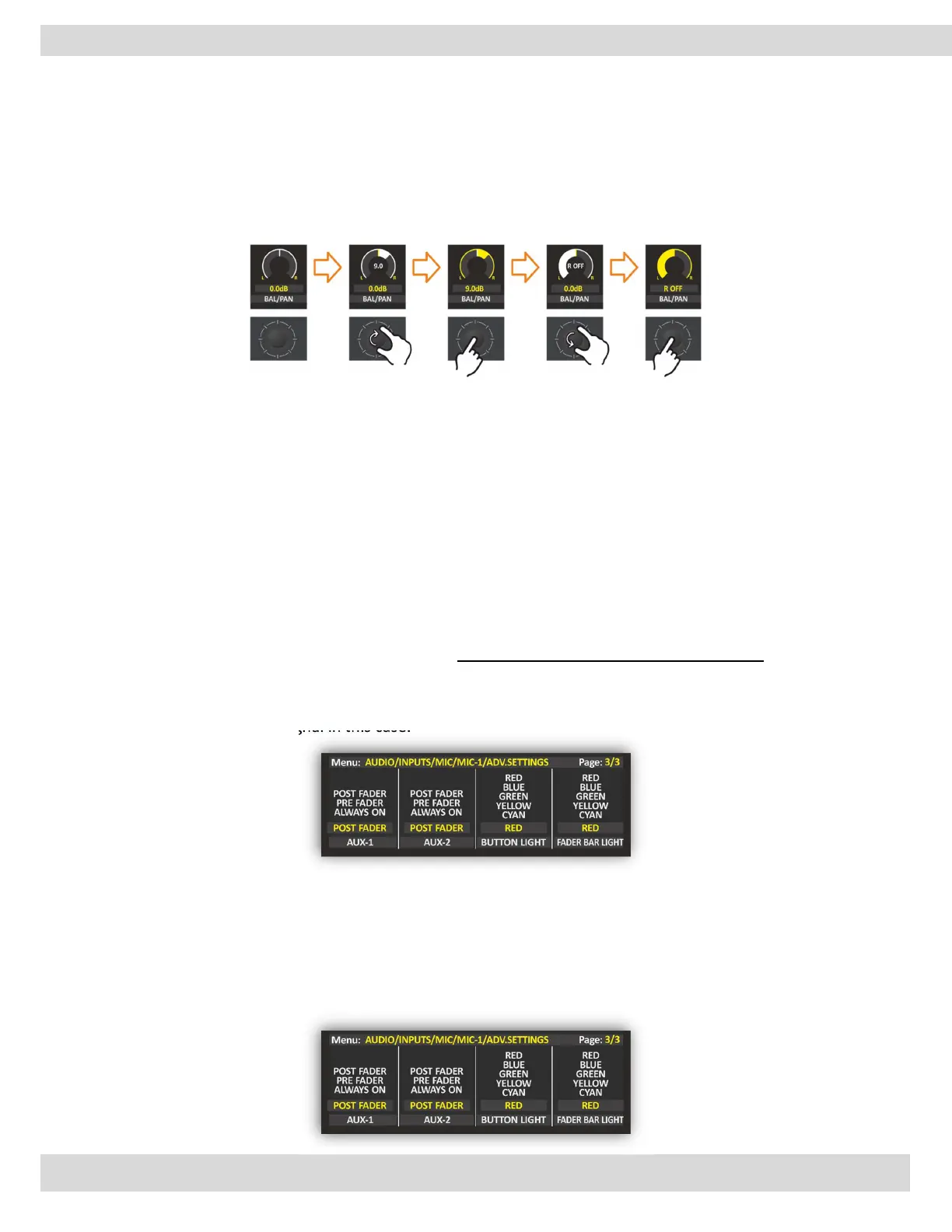
N.B.: When you adjust the BAL/PAN parameter, you have a real-time change of the parameter value and
a real-time perception of the BAL/PAN change. The Graphics will become white to indicate the
parameter change, and they will become yellow again after the confirmation.
F1 & F2 buttons
This feature gives the ability to change the action of the F button.
NONE: no action.
TB: By pressing the F button can talk privately with the studio in Talkback (TB).
It can be set to enable/disable the (COMPRESSOR, DUCKING, and EQ) on this source.
AUX1, AUX2:
From this section, OXYGEN gives you the possibility to set AUX-1 and AUX-2 to be (POST FADER, PRE-
Fader, or PRE-FADER ALWAYS ON) this choice is for every single channel.
When you set AUX-1 and AUX-2 to be PRE-FADER. The FADER does not affect the AUX output signal in
this case.
When you set AUX-1 and AUX-2 to be PRE FADER ALWAYS ON. The FADER and ON/START buttons do
not affect the AUX output signal in this case.
BUTTON-LIGHT, FADER BAR LIGHT:
Button light LED it’s to indicate the channel status.
Fader bare LED indicates the fader level.
From this section, it is easy to change the LED’s color and mark it as you want by rotating and pushing
the knobs.



 To Next Page