MENU | AUDIO
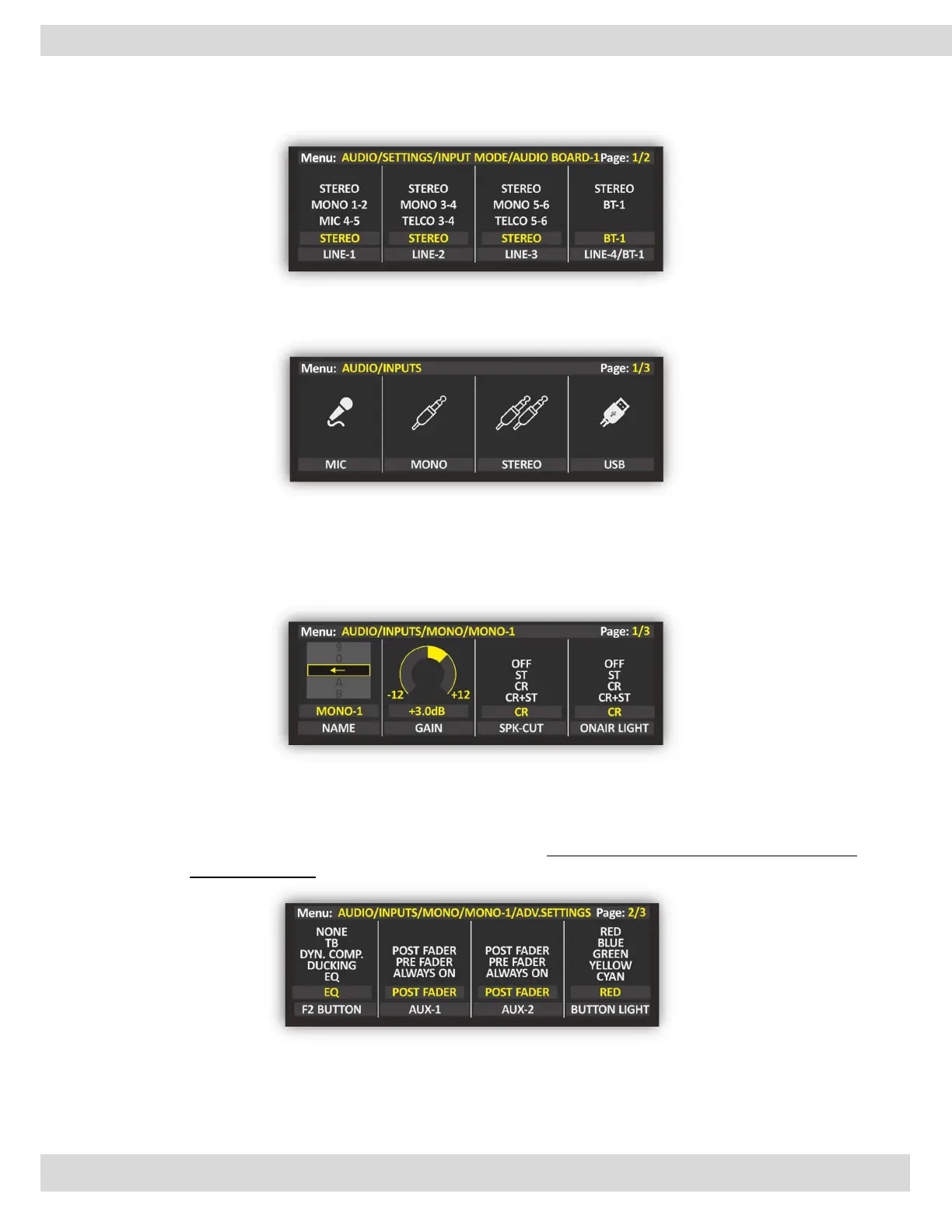
To change the source type from MONO to STEREO or on contrary you need to follow these steps: -
MENU: MAIN / AUDIO / SETTING / INPUT MODE
From this level of the menu, you choose which input MONO/STEREO source you like to customize.
MENU: MAIN / AUDIO / INPUTS / (MONO or STEREO)
INPUTS SETTING (MONO/STEREO)
Here we can find the source parameters (MONO/STEREO)
That can manage our inputs like changing the NAME, GAIN, PAL/PAN, EQ, AUX-1, AUX-2, BUTTON LIGHT,
and FADER BAR LIGHT.
OXYGEN gave you the possibility to set AUX-1 and AUX-2 to be POST-Fader or PRE-Fader, this choice is for
every single channel.
ATTENTION: When you set AUX-1 and AUX-2 to be PRE-Fader. The FADER does not affect the AUX output
signal in this case.



 To Next Page