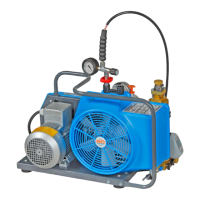
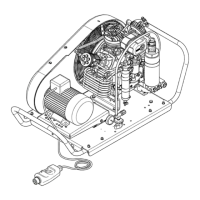
Instruction Manual w VERTICUS 5 Compressor Units
C-10
The compressor unit have to be protected
against automatical restart, when the
service switch is activated or the power
supply to the motor is interrupted.
Place a warning sign on the service
switch!
Master replacement
The replacement of the master is only possible if one of the
slave compressors is equipped with a B-Control II or B-Con
trol Extended controller. In that case note that the pressure
sensor for the combined operation has to be connected to
the new master controller (by service technician only).
Pressure values, control settings, number of slaves and
combi settings have to be adjusted to the new combined
unit.
Revocation of the combined operation
The combined operation can be revoked at any time so that
the compressors of the combined unit can operate sepa
rately.
Proceed as follow to change the operation mode of the
compressors:
Open the „Operation modes“ page (Fig. 56) in the
„Operation“ menu.
Select „Semi-automatic“ or „Fully automatic“ as requi
red in the „Operation mode“ list field.
Check and, if necessary, adjust the control settings
(Fig. 57).
Check and, if necessary, adjust the pressure values
(Fig. 58).
2.4. SWITCHING THE UNIT OFF
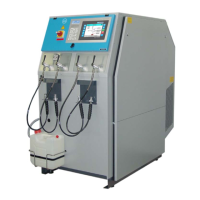
- Switch off compressor unit by touching the red O (OFF)
key (4, Fig. 95 or Fig. 96) at the control panel.
- Place main switch (1) to O (OFF).


 To Next Page