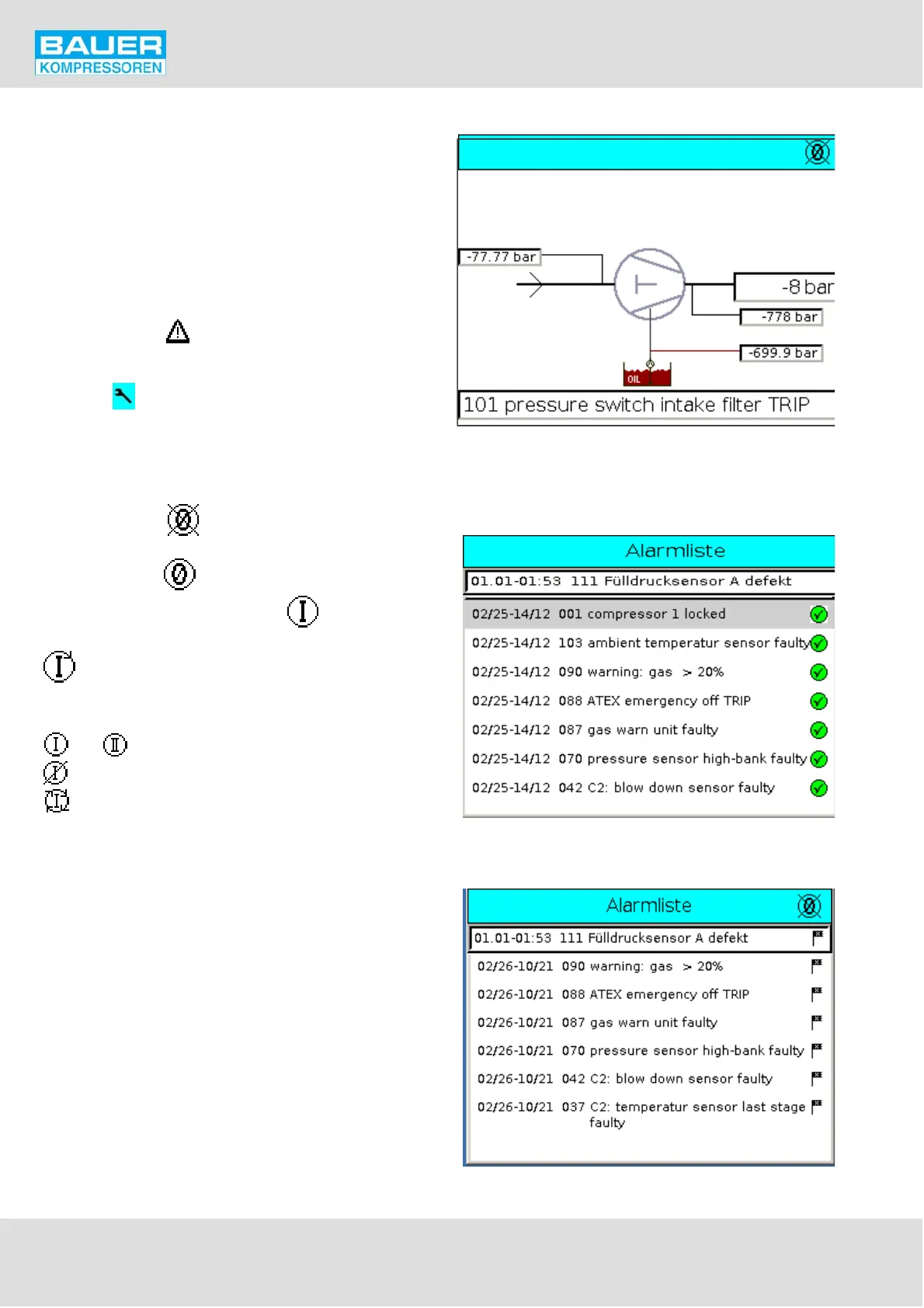
Fig. 42 Home page
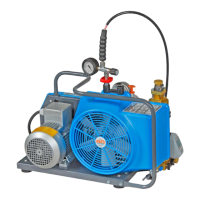
Fig. 43 Alarm list, confirmed
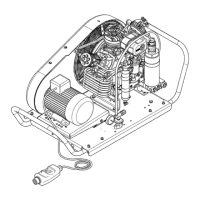
Fig. 44 Alarm list, not confirmed
Instruction Manual w VERTICUS 5 Compressor Units
A-50
11.4.5. Menu and navigation
Home page
When switching on the compressor unit, or by pressing the
F5 key, the home page (Fig. 42) is displayed, giving the most
important general data in a clear graphical presentation.
This way you can find out the actual compressor status.
An exclamation mark ! in the header indicates a warning,
wich has not been acknowledged yet if flashing, wich has
been acknowledged if steady.
A warning triangle indicates a failure in the installation,
wich has not been acknowledged yet if flashing, wich has
been acknowledged if steady.
A wrench indicates a maintenance due, wich has not
been acknowledged yet if flashing, wich has been acknow
ledged if steady.
Alarm symbol and message disappear only after the failure
has been rectified!
A zero crossed out on the right hand side of the hea
der means that the compressors are switched off. If the zero
is not crossed out , this means that the installation is
ready to run. A figure one in the zero means that the
installation is in stand-by. Arrows rotating around the zero
indicate that the installation is running.
The status of the compressors is displayed by circular sym
bols:
and : both compressors are ready for operation.
: compressor is switched off.
: compressor running.
An arrow in the direction towards the circle indicates that
the relevant compressor is running in base load mode, the
other(s) at peak load.
The footnote contains the latest messages from the alarm
list. If you press the footnote, the wohle alarm list will be dis
played, Fig. 43. Green ticks indicate acknoledged mes
sages, not acknoledged messages are marked with a flag
symbol (Fig. 44). Messages on a grey background are ope
rational messages i.e. they provide information concerning
the status of the installation and need no acknowledgment
resp. resetting.


 To Next Page