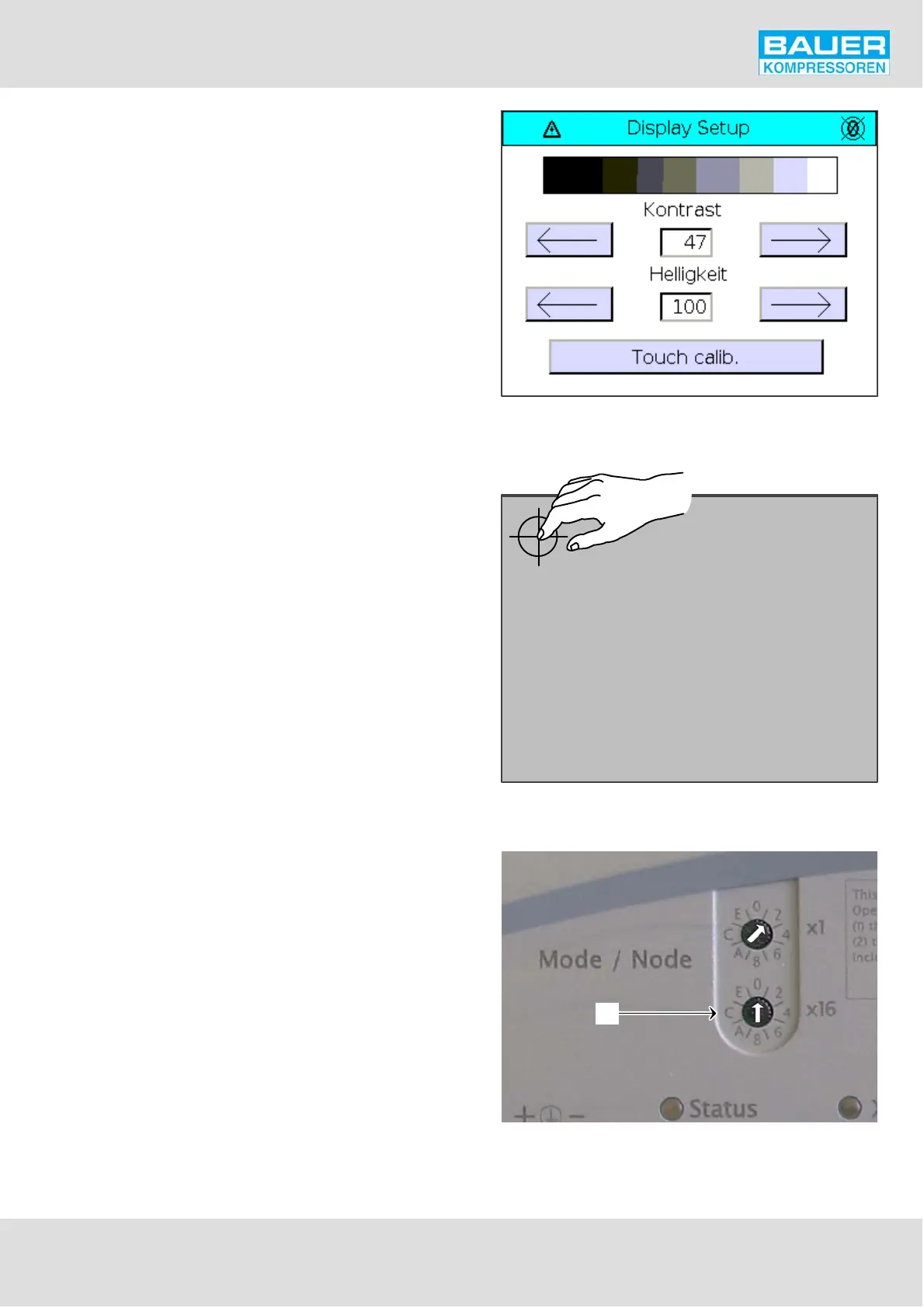
Fig. 76 Display Setup
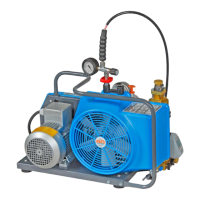
Fig. 77 Calibrating the Touch Panel
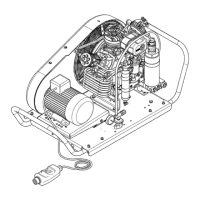
Fig. 78 Hex switch, operating mode position
1
Instruction Manual w VERTICUS 5 Compressor Units
A-63
Display Setup
Contrast and brightness of the display are set on the Display
Setup page (Fig. 76).
Touch calibration
If the touch display is not working properly recalibration
may produce relief.
To do so, press the "Touch calib.” box on the display setup
page (Fig. 76). An new window containing a cross-hair is
displayed. Touch the calibration cross-hair (Fig. 77). Ano
ther cross appears. Touch this again and so on until all 4 cor
ners have been calibrated.
If the calibration fails (by touching the wrong position), the
calibration menu cannot be called up again. In this case, de-
energise the display and set the bottom hex switch (x16,
see 1, Fig. 78) on the back of the display from 0 to 2. Then
boot the unit and carry out the calibration again in the
calibration menu that appears. Then set the hex switch
back to 0 (as shown in Fig. 78), so that the display shows the
home page after rebooting (in position 2 the calibration
menu would rappear again).


 To Next Page