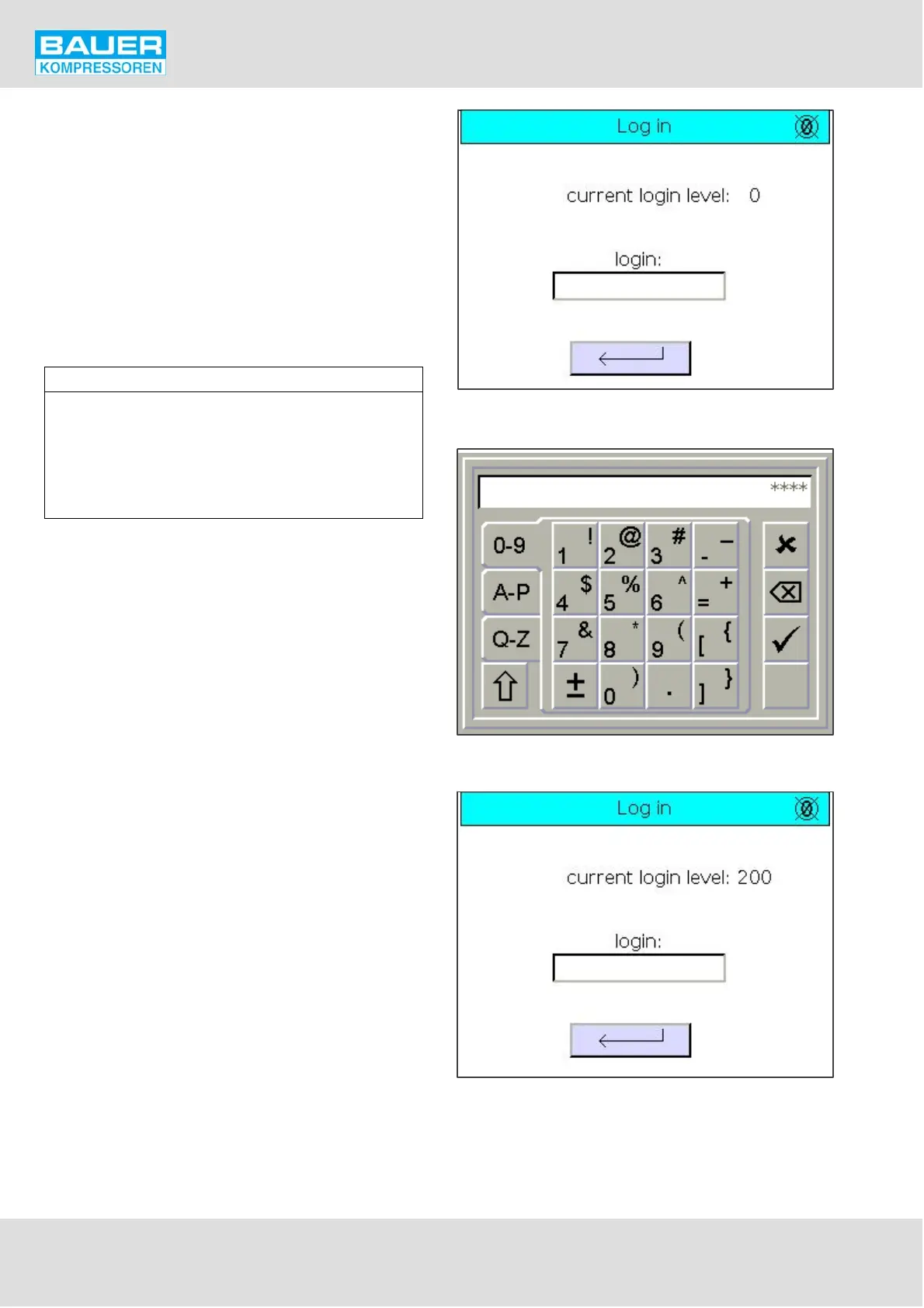
Fig. 52 Log-in page
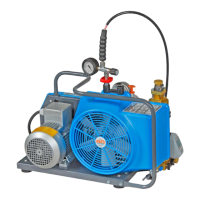
Fig. 53 Keyboard
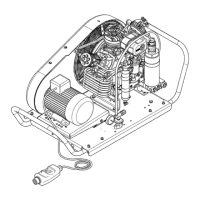
Fig. 54 Log-in page, configuration level
Instruction Manual w VERTICUS 5 Compressor Units
A-54
11.4.9. Log in
On the Log in page (Fig. 52) the operator or the mainte
nance staff can access higher levels which require access
authorisation to make any modification.
In order to enter a specific level, enter the password and
confirm with the enter key (tick, Fig. 53). The current pass
word level is then displayed (Fig. 54).
Without logging into the appropriate level, all values shown
in dark grey cannot be modified.
The programme contains 5 levels:
Level name Level No. Password
Operating level 100 1000
Maintenance level 150 ____*
Configuration level 200 ____*
B-Manager level 210 ____*
Programming level 220 ____*
* Password available from the BAUER customer service.


 To Next Page