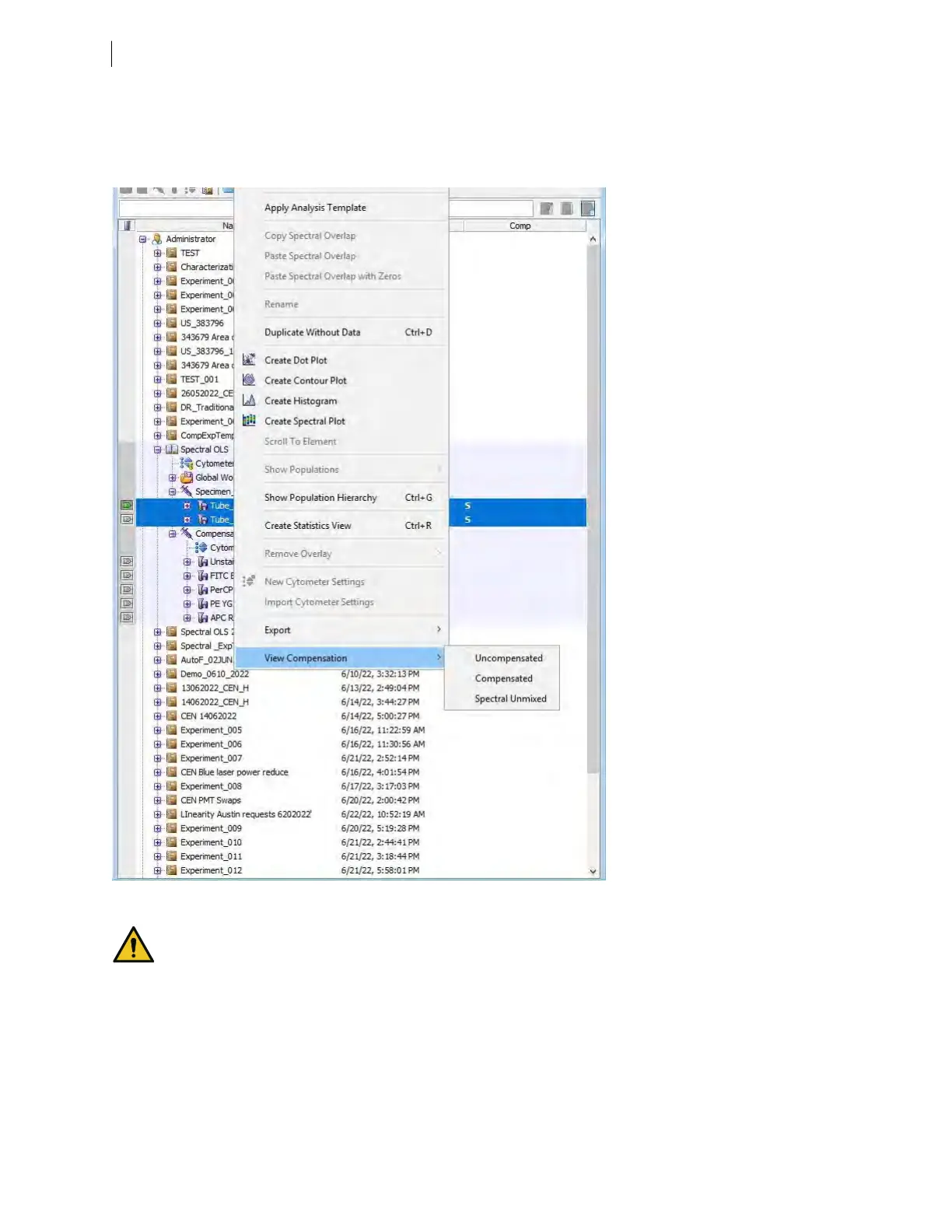
The data view can also be changed for a specific tube or tubes, all tubes associated with a specimen, or all
tubes in an experiment. Right-click on the tube or tubes, specimen, or experiment to change the compensation
view for all the tubes in the selection. The following example shows View Compensation selection at the tube
level.
Note: The Spectral Plot is a special case. Its data type will always be U because it only views raw data.
Do not delete any fluorescent parameters. Doing so will remove the ability of the
BDFACSymphony™A5SE flow cytometer to perform spectral unmixing.
For each reagent in your experiment, you will need to select a “primary” detector, typically the detector that
overlaps or is closest to that fluorochrome's main emission peak on its primary exciting laser. These detectors
will serve as the “conventional” detectors for each fluorochrome in compensation mode, and will also be used
for gating to define positive populations in your single-stained controls. Labeling the parameter is necessary for
spectral unmixing in BDFACSDiva™. See the tables in Spectral function overview (page 48) for information
about the parameters and the primary parameters associated with some commonly used commercial dyes.
56 BD FACSymphony™ A5 SE User's Guide











 To Next Page