Setting up a compensation experiment
Introduction
This topic describes how to create an experiment in a new folder, specify the parameters of the experiment, and
add compensation tubes.
Creating an experiment
To create an experiment:
1. Click the buttons on the Workspace toolbar to display the following windows as needed:
l
Browser
l
Cytometer
l
Inspector
l
Worksheet
l
Acquisition Dashboard
When you add elements or make selections in the Browser, the Inspector displays details, properties, and
options that correspond to your selection.
2. Click the New Folder button on the Browser toolbar to add a new folder.
3. Click the folder and rename it MyFolder.
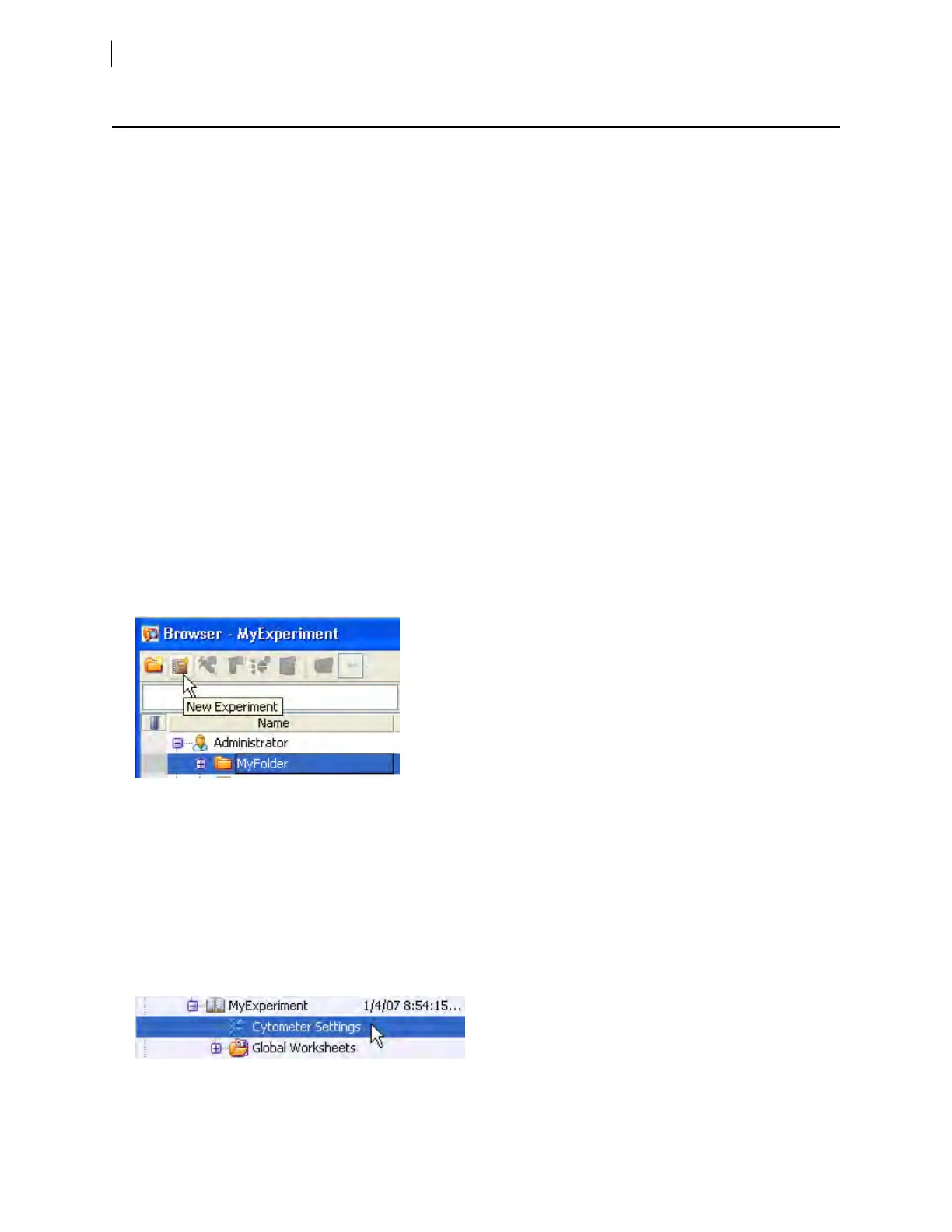
4. Click MyFolder, then click the New Experiment button on the Browser toolbar.
Click the new experiment in the Browser and rename it MyExperiment.
5. Select MyExperiment in the Browser.
The Inspector displays details for the experiment.
Specifying parameters
To specify the parameters for the new experiment:
1. Select Cytometer Settings for the experiment in the Browser.
74 BD FACSymphony™ A5 SE User's Guide











 To Next Page