Chapter 3: Running Samples 63
Calculating Compensation
Before you can calculate compensation, you need to record data for each single-
stained control.
1 Install the first stained control tube onto the cytometer.
2 In the Acquisition Dashboard, click Next Tube, and then Acquire Data.
Alternatively, move the current tube pointer to the next tube and click the
pointer to start acquisition.
3 Click Record Data, or Alt-click the current tube pointer to record data.
4 When recording is finished, install the next stained control tube onto the
cytometer.
5 Repeat steps 2 through 4 until data for all stained control tubes has been
recorded.
6 Double-click the first stained control tube (FITC stained control) to display
the corresponding worksheet.
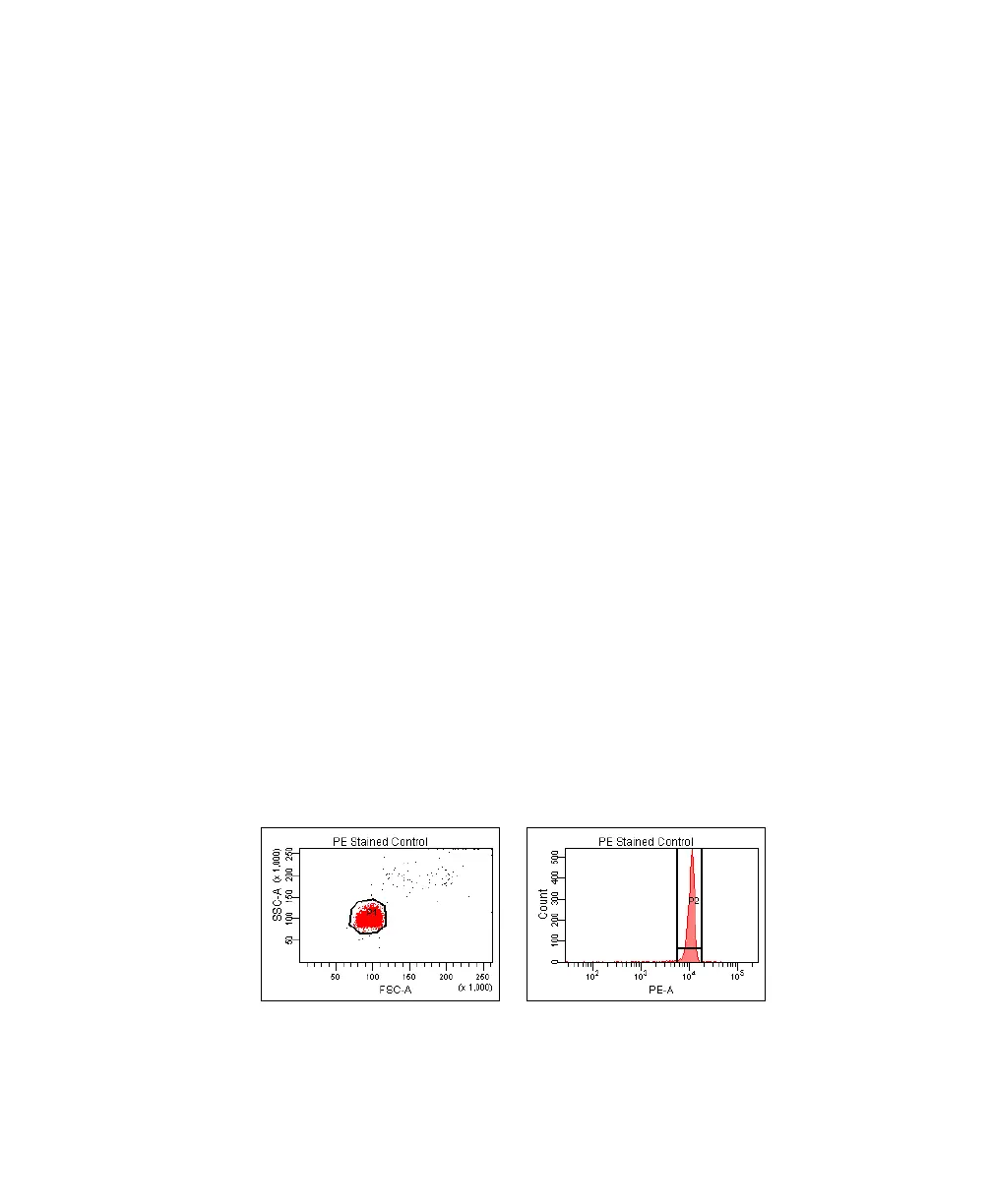
7 Verify the snap-to interval gate surrounds the fluorescence-positive peak on
the histogram (Figure 3-9).
Adjust the gate, if needed.
Figure 3-9 Gating the positive population
8 Repeat steps 6 and 7 for the remaining compensation tubes.
LSR2.book Page 63 Tuesday, April 25, 2006 3:34 PM



 To Next Page